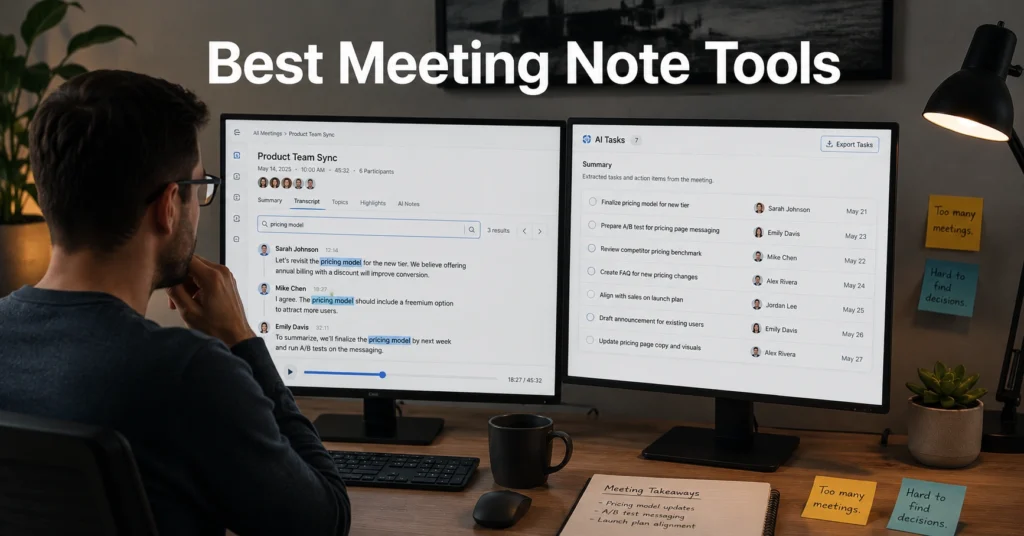
Quick verdict — most meeting note tools fail at retrieval, not capture
| Tool | Price | Best For | Limitation | Verdict |
|---|---|---|---|---|
| Otter.ai | Free–$20/month per user (2025–2026 rates — verify before purchase) | Fast searchable transcripts | Formatting feels secondary | Best for transcript-first teams |
| Notion AI | $10–$22/month + AI add-on (2025–2026 rates — verify before purchase) | Structured notes and documentation | Weak during fast live calls | Best for teams already inside Notion |
| Fireflies.ai | Free–$39/month (2025–2026 rates — verify before purchase) | Call archives and search | Can overwhelm with notifications | Best for searchable meeting history |
| Granola | Around $18/month (2025–2026 rates — verify before purchase) | Low-friction note capture | Mac-focused workflow | Best for people who hate meeting bots |
Meeting notes usually fail three days later, not during the meeting itself. The problem is retrieval. You remember someone promised a deadline change, or approved a budget, or mentioned a client risk — but the note lives in a folder structure nobody checks anymore.
The strongest meeting notes software reduces two things at once: capture friction and search friction. Most tools only solve one. After testing multiple systems across remote standups, client calls, and async review meetings, the pattern becomes obvious. Fast capture matters during the meeting. Searchability matters after it. Retrieval is the part most teams underestimate.
And yes, transcription quality often matters more than formatting. A clean template is useless if the search cannot find the sentence you actually need.
What Notion AI is actually like during real remote meetings
Notion AI works best when meetings already feed into an existing documentation system. If your team lives inside Notion all day, the handoff friction drops immediately. Notes become tasks. Tasks become project pages. That part works well.
The problem starts during fast-moving calls.
Typing structured notes while watching screen shares, Slack messages, and live discussion at the same time creates app-switching fatigue fast. Especially on smaller laptop displays. The AI summaries help afterward, but live capture still feels slower than dedicated transcription tools.
There is another hidden cost here: maintenance. Notion rewards teams that maintain databases consistently. If naming conventions drift or pages become cluttered, search quality collapses within a few months. You stop trusting the system. Then everyone goes back to Slack screenshots and memory.
till, for remote teams already paying for Notion, the workflow integration is hard to beat. Especially for async collaboration — meaning work reviewed later instead of in real time. (Feature sets and integrations change without notice)
What Otter.ai is actually like when transcription accuracy matters more than formatting
Otter.ai is less elegant than Notion. It is also faster where it counts.
The transcription speed during Zoom and Google Meet calls is strong enough that many teams stop taking manual notes entirely after a few weeks. Search works quickly. Speaker detection is usually accurate with decent microphones. And the timestamped playback matters more than most buyers realize.
Because here is what actually happens in remote work: nobody remembers exact wording after six meetings in one day.
Otter fixes that better than polished note templates do. You search for a phrase, jump to the timestamp, and hear the original conversation again. That workflow removes a surprising amount of clarification messaging afterward.
The weak spot is structure. Raw transcripts become noisy fast. Daily standups especially create bloated archives full of filler conversation. If your team lacks naming discipline or folder cleanup habits, retrieval quality degrades over time.
For teams prioritizing searchable conversation history over polished documentation, Otter remains one of the strongest transcription tools available. (Feature sets and integrations change without notice)
The differences that actually change the decision: note quality, capture speed, and searchability
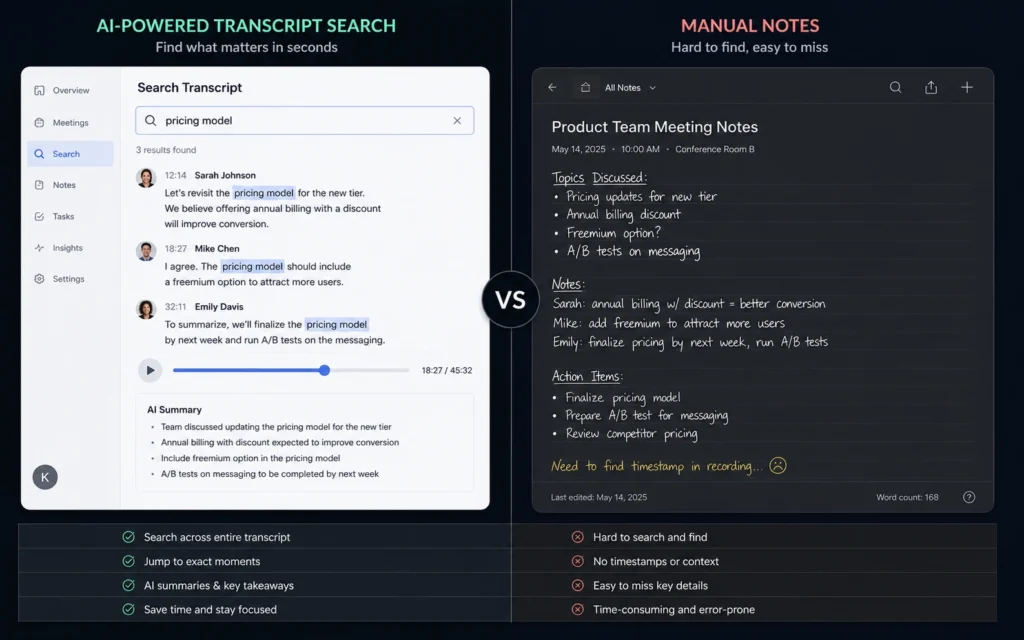
Most “best meeting note tools” lists compare feature counts. That is the wrong framework.
The real differences appear after 60 days of actual use.
Note quality
Structured notes look cleaner, but transcripts preserve context better. Client-facing teams often prefer structured summaries. Product and engineering teams usually benefit more from searchable raw discussion because decisions evolve mid-conversation.
Capture speed
Manual note taking slows participation. AI capture reduces that burden, but only if the tool joins reliably and syncs quickly. Delayed uploads are more disruptive than bad formatting. One missed sync during a client review meeting is enough to destroy trust in the workflow.
Searchability
This is the category that matters most long term.
Meeting notes are useless if retrieval takes longer than asking the same question again in Slack.
Fast transcript indexing, speaker labels, and timestamp search consistently outperform visual formatting once archives grow beyond a few hundred meetings. That becomes obvious around month three — right when most teams realize their “organized” notes are impossible to surface under pressure.
Choose Granola if you want low-friction note capture during calls
Granola solves a different problem entirely: meeting fatigue from constant AI bots joining calls.
Instead of aggressively recording everything, Granola keeps the capture workflow quieter. The interface feels lighter during meetings, which matters more than feature checklists suggest. Less visual clutter means less cognitive overhead while listening.
This is one of the few note taking tools where the software disappears into the background instead of demanding attention constantly.
The limitation is ecosystem depth. Granola works best for individual operators or smaller remote teams using Mac-heavy setups. Larger organizations needing compliance controls, enterprise retention policies, or heavy integrations will outgrow it faster than they expect.
Still, if you hate robotic meeting assistants interrupting every call, Granola feels refreshingly restrained.
Choose Fireflies.ai if your team searches old conversations constantly
Fireflies.ai behaves more like a meeting intelligence archive than a simple notes app.
That distinction matters.
Its strongest feature is retrieval across large meeting histories. Search filters, topic grouping, integrations, and CRM syncing make it useful for sales teams, agencies, and account managers handling large conversation volumes. Especially when decisions get revisited months later.
But the notification load can become excessive quickly. Meeting summaries, highlights, reminders, integrations, channel updates — eventually the tool risks becoming another inbox instead of reducing work.
That is the hidden maintenance burden most remote teams underestimate. Productivity tools that generate more notifications than they remove eventually become background noise.
If your workflow depends heavily on historical search and client recall, Fireflies.ai earns its place. If you already feel overwhelmed by alerts, simpler tools age better.
Cost comparison: what these meeting notes tools actually cost in 2025
| Tool | Budget Tier | Mid-Range Tier | Worth-the-Splurge Tier |
|---|---|---|---|
| Otter.ai | Free basic transcription | ~$10/month Pro | ~$20/month Business |
| Notion AI | Existing workspace + AI add-on | Team workspace scaling | Enterprise documentation workflows |
| Fireflies.ai | Free limited archive | ~$18/month Pro | ~$39/month Enterprise |
| Granola | Limited testing period | ~$18/month personal workflow | Less suitable for enterprise scaling |
(2025–2026 rates — verify before purchase)
The pricing trap with meeting notes software is not the subscription itself. It is the archive scale later. Storage limits, transcription minutes, admin controls, and integrations often become paid upgrades once your team depends on the workflow.
And switching costs become painful after six months of searchable history accumulation.
That is why retrieval quality matters more than visual polish during the buying decision.
Final recommendation: the best meeting note tools depend on retrieval speed, not templates
The strongest meeting note tools reduce two failures at once: forgetting decisions and repeating work.
For most remote teams, Otter.ai remains the best balance of transcription speed, searchability, and workflow reliability. Especially if retrieval matters more than presentation.
For documentation-heavy teams already living in Notion, Notion AI fits naturally into existing workflows — but only if someone actively maintains the workspace structure.
For low-friction personal workflows, Granola feels calmer and less invasive during calls.
And for large searchable meeting archives, Fireflies.ai handles retrieval better than most competitors.
The blunt reality: no meeting notes software fixes bad communication habits. It only lowers the retrieval cost after the meeting ends.
Frequently Asked Questions About Meeting Note Tools
Which meeting note tool has the best transcription quality?
Otter.ai consistently performs well for live transcription speed and timestamp search. It works best with clear microphones and structured meetings. Heavy accents, overlapping speakers, and noisy audio still reduce accuracy across all transcription tools.
Are AI meeting notes reliable enough for client calls?
Yes — but verification still matters. AI-generated summaries occasionally miss context shifts or assign action items incorrectly. High-stakes client discussions still benefit from quick manual review before tasks or approvals are distributed.
What is the best meeting notes software for small remote teams?
Do meeting note apps work offline?
Some note taking workflows support offline editing, but live AI transcription generally depends on cloud processing and stable internet connections. Offline fallback notes are still worth keeping during unstable calls or travel-heavy workflows.
Continue Exploring
- Productivity and Remote Work Tech covers more workflow systems, remote work tools, and setup decisions that reduce maintenance instead of adding another dashboard to manage.
- async communication tools breaks down which platforms reduce message overload without forcing teams into constant meetings.