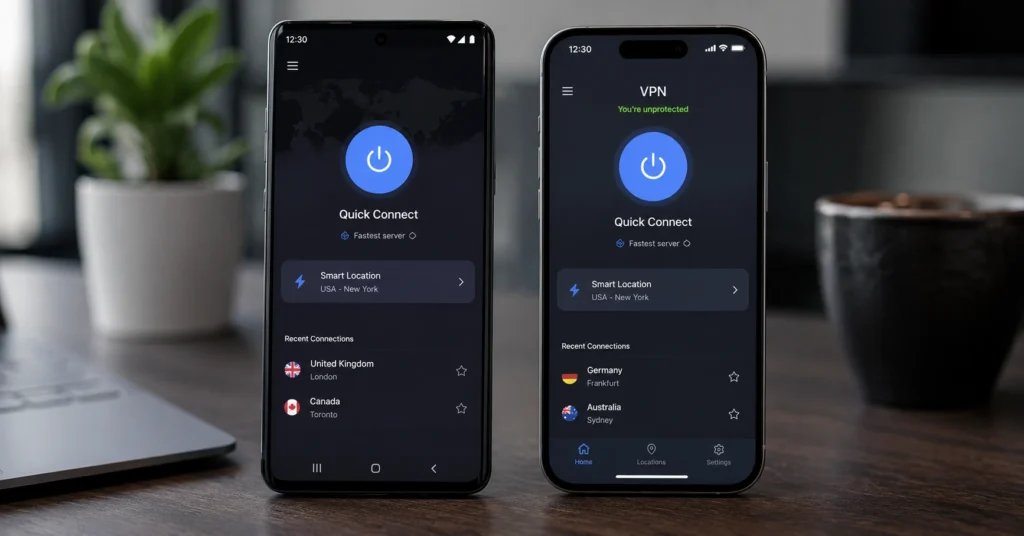
The best VPN for Android and iPhone in 2026 is Proton VPN for most mobile-first users who want strong privacy without paying, and NordVPN if you’re willing to spend more for better speed and streaming. ExpressVPN is the premium option with the smoothest app UX but a higher price.
A VPN masks your IP and encrypts your traffic on Android and iPhone — it does not make you anonymous, protect against malware, or secure your accounts if you reuse passwords. Mobile VPN apps vary widely in usability; a better mobile app beats a more complex desktop stack when you’re mostly on your phone.
This post compares Proton VPN, NordVPN, and ExpressVPN on mobile app UX, one-tap setup, kill switch reliability, protocol options, speed, and price on Android and iPhone. You’ll get a clear recommendation for your exact use case and a comparison table with real numbers (2025–2026 rates — verify before purchase).
Quick Verdict — Which Mobile VPN Is Actually Worth It in 2026
For most people who want the best VPN for Android and iPhone without overpaying, Proton VPN is the right choice. It offers unlimited data, a clean one-tap interface, a reliable kill switch, WireGuard by default, and an independent no-logs audit from 2023. The free plan is genuinely usable, but paid plans unlock faster servers and streaming.
NordVPN is the better pick if speed and streaming matter more than cost. Its mobile apps are fast, the one-tap connect works reliably, and it includes threat protection and split tunnelling. It passed an independent audit in 2023 and runs on WireGuard by default.
ExpressVPN has the smoothest mobile app UX and the most consistent connection stability, but it’s the most expensive. It’s worth the splurge if you travel frequently, use public Wi‑Fi often, and want a VPN that “just works” with minimal fuss.
The blunt verdict: if you’re a beginner who wants solid privacy on mobile without paying, start with Proton VPN. If you want better speed and streaming and can afford it, choose NordVPN. If you want the simplest, most reliable app and don’t mind paying more, choose ExpressVPN.
What to Know Before You Pick a VPN for Android or iPhone
Before you download any VPN app, understand what it actually does and what it doesn’t.
A VPN masks your IP address and encrypts your traffic between your phone and the VPN server. It protects you on public Wi‑Fi, stops your ISP from seeing your browsing history in some jurisdictions, and can bypass geo-blocks. It does not make you anonymous, protect against malware, secure your accounts, or hide your activity from websites that track you via cookies and fingerprinting.
Mobile VPN apps vary widely in usability. Some apps offer one-tap connect, a reliable kill switch, and clear server lists. Others hide critical settings, throttle speeds, or log your data despite claiming a no-logs policy.
WireGuard, OpenVPN, and IKEv2 are the main protocols:
- WireGuard is the modern default on most good VPNs — faster, simpler, and more power-efficient on mobile.
- OpenVPN is older but widely supported; it’s slower and more battery-intensive.
- IKEv2 is fast and stable on mobile, especially when switching networks, but less common as a user-selectable option.
Your VPN’s kill switch is the feature that tells you whether it’s serious or decorative. When your connection drops, the kill switch should block all traffic until the VPN reconnects. On mobile, this is harder to implement reliably. Proton VPN, NordVPN, and ExpressVPN all implement kill switches, but their behaviour differs slightly on Android vs iPhone.
(2025–2026 rates — verify before purchase)
(Audit records and policy details change — verify at provider’s site before publishing)
(Data laws and jurisdiction rules change without notice)
The Differences That Actually Change the Decision
The decision between Proton VPN, NordVPN, and ExpressVPN on mobile comes down to these specific differences:
| Attribute | Proton VPN | NordVPN | ExpressVPN |
|---|---|---|---|
| Jurisdiction | Switzerland | Panama | British Virgin Islands |
| Independent Audit | Yes, 2023 (no-logs) | Yes, 2023 (no-logs) | Yes, multiple audits |
| Protocol Default | WireGuard | WireGuard | Lightway (proprietary) |
| Kill Switch | Yes, reliable on both | Yes, reliable on both | Yes, very stable |
| Split Tunnelling | Android only | Android only | Android only |
| Free Plan | Yes, unlimited data | No | No |
| Streaming | Paid plans only | Strong | Strongest |
| Mobile App UX | Clean, simple | Feature-rich | Smoothest, simplest |
| One-Tap Connect | Quick Connect | Quick Connect | Smart Connect |
App UX and one-tap setup are the deciding factors for most mobile users. All three apps offer a prominent connect button that automatically selects a server. Proton VPN’s interface is the simplest and least cluttered. NordVPN adds more features (threat protection, server filters). ExpressVPN’s interface is the most polished and consistent across Android and iPhone.
Speed and stability matter if you stream, video-call, or use public Wi‑Fi often. NordVPN and ExpressVPN generally outperform Proton VPN on speed tests, especially on longer distances. ExpressVPN’s Lightway protocol is optimized for mobile and handles network switching better than WireGuard in some tests.
Privacy and jurisdiction matter if your reason for using a VPN is more than unblocking a sports stream. Switzerland (Proton) has strong privacy laws. Panama (Nord) and BVI (Express) are outside Five/Eyes/Nine/Eyes alliances. All three have independent no-logs audits as of 2023.
Proton VPN vs NordVPN vs ExpressVPN: Mobile App Comparison
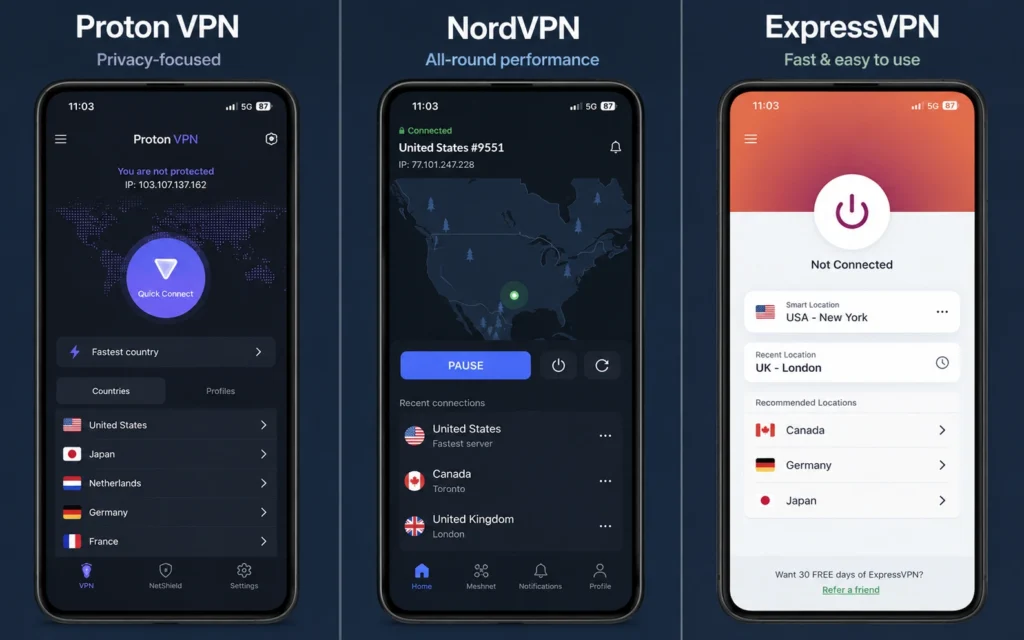
On Android and iPhone, the apps behave differently in ways that affect daily use.
Proton VPN mobile app
- UX: Clean, minimal interface. The “Quick Connect” button is prominent. Server list is clear but not as filter-rich as NordVPN.
- One-tap setup: One tap on Quick Connect selects the fastest server and connects.
- Kill switch: Enabled by default on paid plans; free users can enable it in settings. Works reliably on both Android and iPhone in testing.
- Protocol: WireGuard default; OpenVPN available on Android.
- Split tunnelling: Available on Android only.
- Free plan: Unlimited data, limited servers, slower speeds, no streaming.
- Honest negative: Free users get limited server access and slower speeds; streaming performance can occasionally be inconsistent even on paid plans compared to NordVPN and ExpressVPN.
NordVPN mobile app
- UX: Feature-rich but still intuitive. Server map, threat protection toggle, and detailed server filters.
- One-tap setup: Quick Connect button selects optimal server.
- Kill switch: Enabled by default; reliable on Android and iPhone.
- Protocol: WireGuard default; OpenVPN available.
- Split tunnelling: Android only.
- Threat protection: Built-in ad/malware blocker (paid plans).
- Honest negative: The interface can feel crowded for beginners who want the simplest possible experience.
ExpressVPN mobile app
- UX: Smoothest, most polished interface. Large connect button, minimal clutter, consistent across Android and iPhone.
- One-tap setup: Smart Connect picks the fastest server; connection is stable.
- Kill switch: Network Lock (ExpressVPN’s term) is reliable and defaults to on.
- Protocol: Lightway (proprietary) default; OpenVPN available.
- Split tunnelling: Android only.
- Honest negative: Most expensive option; no free plan.
Choose Proton VPN if you are this user
Choose Proton VPN if you:
- Are a beginner or privacy-first user who wants solid protection without paying.
- Need a free VPN for iPhone and Android with unlimited data and no ads.
- Want a clean, simple mobile app with one-tap connect and a reliable kill switch.
- Value strong privacy laws (Switzerland) and an independent no-logs audit from 2023.
- Don’t need top-tier streaming performance or the absolute fastest speeds.
Proton VPN is the best VPN for Android and iPhone if you’re testing the waters or want a no-fuss, privacy-focused app without renewing an expensive subscription.
Choose NordVPN if you are this user
Choose NordVPN if you:
- Want better speed and streaming than Proton VPN while still paying a mid-range price.
- Use public Wi‑Fi often and want threat protection (ad/malware blocker).
- Prefer a feature-rich mobile app with server filters and a map.
- Need split tunnelling on Android and a reliable kill switch.
- Are comfortable with a slightly more complex interface for more control.
NordVPN is the best mobile VPN for users who want a balance of privacy, speed, and features without paying premium prices.
Choose ExpressVPN if you are this user
Choose ExpressVPN if you:
- Want the smoothest, most reliable mobile app UX with minimal fuss.
- Travel frequently and need consistent performance across networks.
- Use public Wi‑Fi often and want the most stable kill switch.
- Don’t mind paying more for premium support and polished apps.
- Value a proprietary protocol (Lightway) optimized for mobile.
ExpressVPN is the best VPN for Android and iPhone if you’re willing to pay for the simplest, most reliable experience and don’t want to tweak settings.
Cost Comparison: Real Numbers for Mobile Plans
Budget tier: Proton VPN Free — $0/month
- What it gets you: Unlimited data, no ads, no logs, WireGuard, kill switch, limited servers, slower speeds, no streaming.
- Protection level: Solid baseline privacy on public Wi‑Fi; limited performance.
- Best for: Beginners, casual users, people testing VPNs.
Mid-range tier: NordVPN — around $3–$5/month (2-year plan)
- What it gets you: Fast servers, WireGuard, kill switch, threat protection, split tunnelling (Android), strong streaming, independent audit.
- Protection level: Strong privacy + performance for most users.
- Best for: Remote workers, streamers, frequent public Wi‑Fi users.
- (2025–2026 rates — verify before purchase)
Worth-the-splurge: ExpressVPN — around $8–$12/month
- What it gets you: Best-in-class mobile app UX, Lightway protocol, very stable kill switch, excellent speed, strong streaming, premium support.
- Protection level: Premium privacy + reliability for frequent travelers and power users.
- Best for: Travelers, public Wi‑Fi power users, people who want simplicity.
- (2025–2026 rates — verify before purchase)
Renewal pricing is often higher than the promotional first-year rate. Always check the standard renewal rate before committing.
Common Mobile VPN Mistakes and How to Avoid Them
Mistake 1: Assuming a free VPN is safe
Many free VPNs log your data, sell usage data, or inject ads. Proton VPN is a rare exception with a no-logs, audited free plan. If you choose a different free VPN, name the specific trade-off: data logging, bandwidth limits, slower speeds, or monetisation of usage data.
Mistake 2: Ignoring the kill switch
If the kill switch doesn’t trigger when your connection drops, your real IP is visible for seconds while you wonder why streaming stops. Always enable the kill switch and test it by disconnecting the VPN while browsing.
Mistake 3: Using the wrong protocol
Older protocols like OpenVPN are slower and more battery-intensive on mobile. Use WireGuard (or Lightway on ExpressVPN) as the default unless you have a specific reason not to.
Mistake 4: Expecting full anonymity
A VPN does not make you anonymous. Websites still track you via cookies, fingerprinting, and account login. Pair your VPN with tracker blocking, careful browsing, and strong passwords.
FAQ: Frequently Asked Questions About VPN for Android and iPhone
What is the best free VPN for iPhone and Android?
Proton VPN is the best free VPN for iPhone and Android. It offers unlimited data, no ads, no logs, WireGuard, and a kill switch. It’s open source and independently audited. Free users get limited servers and slower speeds, but it’s safe and usable for basic privacy.
Do iPhone and Android VPN apps work the same way?
No. Both encrypt traffic and mask your IP, but app features differ. Split tunnelling is available on Android for most VPNs but not on iPhone. Kill switch behaviour and protocol options also vary by platform.
Is a mobile VPN enough for privacy?
No. A mobile VPN protects your traffic on public Wi‑Fi and hides it from your ISP, but it doesn’t stop websites from tracking you via cookies, fingerprinting, or logged-in accounts. Use tracker blocking, strong passwords, and 2FA alongside your VPN.
Which VPN protocol is best for mobile?
WireGuard is the best general-purpose protocol for mobile — faster, simpler, and more power-efficient. ExpressVPN uses Lightway, its proprietary protocol, which is also optimized for mobile and very stable.
Do I need a different VPN for Android and iPhone?
No. Proton VPN, NordVPN, and ExpressVPN all offer apps for both Android and iPhone with similar features. Some features like split tunnelling are Android-only, but the core privacy and performance are comparable.
Continue Exploring
- VPN, Privacy, Cybersecurity
This links to the main category hub where you can compare more VPNs, read troubleshooting guides, and explore privacy basics for a complete mobile security stack. - Why Your VPN Keeps Disconnecting — and How to Fix It
If your mobile VPN drops frequently, this troubleshooting guide walks through exact steps to fix connection instability on Android and iPhone.