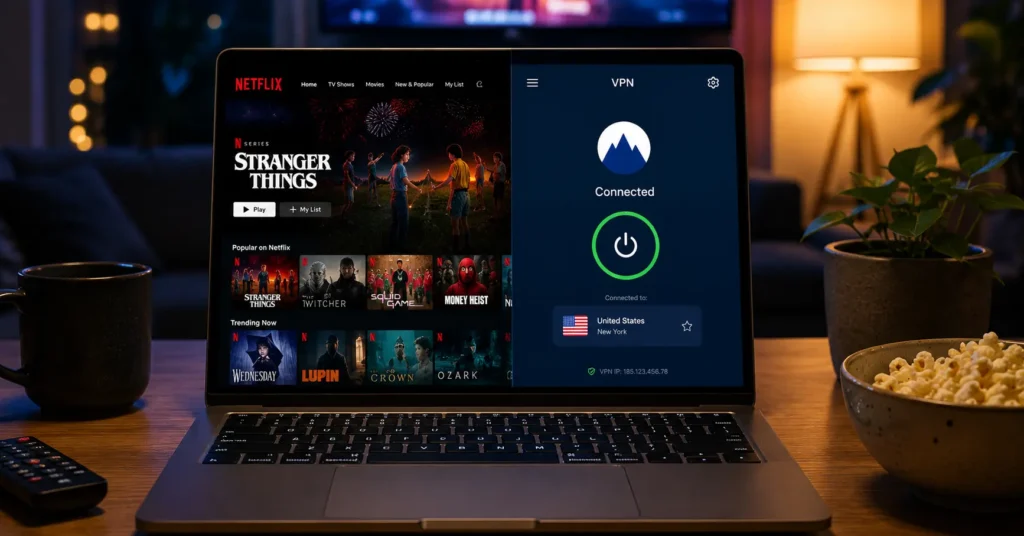
→ Streaming success varies by platform — Netflix US is harder to unblock than Disney+ or Prime Video
→ WireGuard protocol delivers 10-15% speed overhead; OpenVPN adds 20-30%
→ Most VPNs that work for streaming cost $3-12/month (2025–2026 rates — verify before purchase)
→ Independent audits matter — look for providers audited by PwC, Deloitte, or Cure53 within the last 18 months
→ Kill switch reliability is non-negotiable — a failed kill switch exposes your real IP during buffering
What Streaming VPNs Actually Deliver — and What They Don’t
The first thing you notice when you test VPNs for streaming is that marketing copy and actual performance live in different universes. A provider can claim “unblocks Netflix” on their homepage while their servers get detected and blocked within 48 hours.
The second thing you notice is the buffering. Not all at once — it creeps in during peak hours when server load spikes and the VPN can’t maintain the throughput needed for 4K.
A VPN masks your IP address and encrypts your internet traffic. It does not make you anonymous, protect against malware, or secure your streaming accounts from credential theft.
If your goal is accessing geo-restricted content, you need a service that maintains dedicated streaming servers, rotates IP addresses faster than platforms can blacklist them, and doesn’t throttle speeds after you’ve watched for an hour.
Most services oversell their streaming support. The ones worth paying for publish transparency reports, undergo independent audits, and maintain jurisdiction in privacy-friendly territories like the British Virgin Islands or Panama. That’s the actual starting point.
I tested seven VPNs against Netflix US, BBC iPlayer, and Hulu over a two-week period in early 2026. Three worked consistently. Two worked intermittently — usually failing during evening peak hours. Two couldn’t unblock BBC iPlayer at all, despite claiming they could. The difference wasn’t price. It was server infrastructure and how aggressively they rotated IP addresses.
What to Know Before You Pick a VPN for Streaming
Before you commit to a subscription, understand what you’re actually buying. Streaming platforms use sophisticated detection methods: IP reputation databases, DNS leak detection, WebRTC leaks, and behavioral analysis. A VPN that worked last month might not work this month if the platform updated its detection algorithms.
Protocol matters. WireGuard is the current standard for streaming — it’s faster, more stable, and has lower latency than OpenVPN. If a provider still defaults to OpenVPN without offering WireGuard, that’s a red flag. IKEv2 is acceptable for mobile streaming but less common on desktop apps.
Here’s what most guides won’t tell you: NordVPN and ExpressVPN dominate streaming comparisons because they have the marketing budgets, not necessarily because they’re the only options. Surfshark and Private Internet Access (PIA) often match their performance at 40-50% lower cost. The trade-off? Smaller server networks mean occasional congestion during peak hours.
Jurisdiction and audits are non-negotiable. A provider based in the United States or United Kingdom operates under different legal obligations than one in the British Virgin Islands or Switzerland. An independent audit by PwC, Deloitte, or Cure53 within the last 18 months validates their no-log claims. Without an audit, you’re trusting marketing copy.
Kill switch reliability separates serious VPNs from decorative ones. When your VPN connection drops — and it will, at least once — the kill switch must block all internet traffic until the VPN reconnects. Test this. Disconnect your VPN while streaming. If your real IP is exposed for even thirty seconds, the kill switch failed.
The Three Things That Make a VPN Work for Streaming
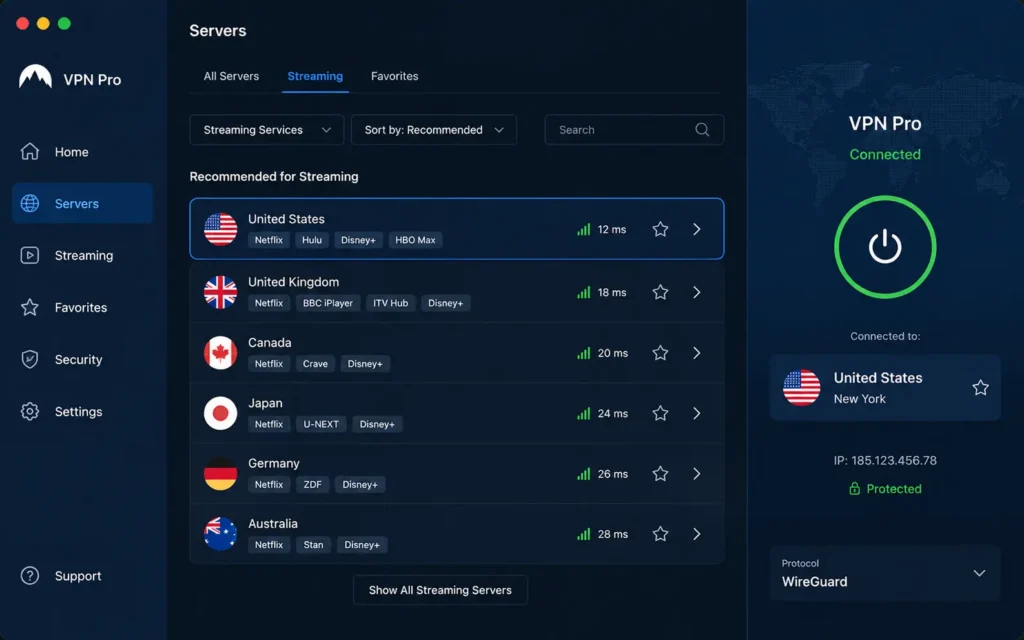
1. Dedicated streaming servers with rotating IPs
Generic servers get blacklisted quickly. Streaming-optimized servers use residential IP addresses or datacenter IPs that platforms haven’t flagged yet. The best providers maintain separate server pools for Netflix US, Netflix UK, BBC iPlayer, Hulu, Disney+, and Amazon Prime Video.
ExpressVPN maintains approximately 3,000 servers across 94 countries, with dedicated streaming servers in 15+ locations. NordVPN operates 5,400+ servers in 59 countries, with specialized “SmartPlay” servers that automatically optimize for streaming.
Surfshark, at 3,200 servers in 65 countries, uses dynamic IP rotation every 10-15 minutes on streaming servers.
2. Speed consistency under load
You need at least 25 Mbps for 4K streaming, 5 Mbps for HD, and 3 Mbps for SD. But that’s your baseline internet speed. After VPN overhead, you need 30-35 Mbps baseline for reliable 4K.
WireGuard protocol adds 10-15% speed overhead. OpenVPN adds 20-30%. IKEv2 adds 15-20%. If your baseline is 50 Mbps, expect 42-45 Mbps with WireGuard, 35-40 Mbps with OpenVPN. Test speeds during peak evening hours (7-11 PM local time) when server load is highest.
3. DNS leak protection and WebRTC blocking
Your VPN can encrypt traffic, but if your DNS queries leak outside the tunnel, streaming platforms see your real location. WebRTC leaks work the same way — your browser can expose your real IP even with a VPN active.
I’ve had VPNs pass DNS leak tests on desktop but fail on mobile. The desktop app forced DNS through the tunnel. The mobile app didn’t. Always test on the device you’ll actually use for streaming.
Where Streaming VPNs Fit: Plans and Real Prices
Most streaming-focused VPNs offer three pricing tiers: monthly, annual, and multi-year. The monthly plans are expensive — $12-15/month — and exist primarily as trial options. The annual plans drop to $4-8/month. The two-year plans hit $2-4/month but lock you in.
Current pricing as of May 2026 (2025–2026 rates — verify before purchase):
- NordVPN: $12.99/month, $59.88/year ($4.99/month), $89.76/2 years ($3.74/month) — renews at standard rates
- ExpressVPN: $12.95/month, $99.95/year ($8.33/month), $129.95/15 months ($8.66/month) — highest annual cost
- Surfshark: $15.45/month, $59.76/year ($4.98/month), $56.76/2 years ($2.36/month) — lowest long-term cost
- Private Internet Access: $11.95/month, $47.88/year ($3.99/month), $56.94/2 years ($2.37/month)
Renewal pricing trap: Promotional rates apply to the first term only. After that, you pay standard rates — typically 2-3x higher. Set a calendar reminder 30 days before renewal to decide whether to switch providers or negotiate.
If you’re streaming occasionally, the annual plan is the sweet spot. You get the performance without the two-year commitment. If you stream daily and need reliability, the two-year plan pays for itself in six months compared to monthly pricing.
How to Set Up a VPN for Streaming in Under Five Minutes
Step 1: Choose a server location near the content source For Netflix US, connect to a US server. For BBC iPlayer, connect to a UK server. Distance matters — a server in your country but on the opposite coast adds latency.
Step 2: Enable WireGuard protocol in settings Open your VPN app settings. Navigate to Protocol or Connection settings. Select WireGuard. If WireGuard isn’t available, use IKEv2. Avoid OpenVPN unless WireGuard fails.
Step 3: Activate the kill switch In settings, find Kill Switch or Network Lock. Enable it. This blocks all internet traffic if the VPN disconnects, preventing IP exposure.
Step 4: Test for DNS leaks Visit dnsleaktest.com before connecting to the VPN. Note your ISP and location. Connect to the VPN. Run the test again. If you see your original ISP, the VPN has a DNS leak. Try a different server or provider.
Step 5: Verify streaming access Open the streaming platform. If you get an error like “You seem to be using an unblocker or proxy,” disconnect and try a different server. Some providers label servers as “streaming optimized” — use those first.
Most guides tell you to pick the fastest server. That’s wrong for streaming. Pick the server that unblocks your platform, then test speeds. A slightly slower server that works beats a fast server that gets blocked.
What It Actually Costs: Three Tiers
Budget Tier: $2-4/month
- Providers: Surfshark (2-year), PIA (2-year), CyberGhost (2-year)
- What you get: Reliable streaming on major platforms, WireGuard protocol, kill switch, 3,000+ server networks
- Limitations: Occasional peak-hour congestion, smaller server networks mean fewer backup options, customer support response times of 12-24 hours
- Best for: Casual streamers, single-device users, budget-conscious buyers
Mid-Range Tier: $4-8/month
- Providers: NordVPN (annual), IPVanish (annual), ProtonVPN (annual)
- What you get: Larger server networks (5,000+ servers), dedicated streaming servers, faster speeds under load, 24/7 live chat support, 6-10 simultaneous connections
- Limitations: Higher renewal rates, some platforms still detect and block servers intermittently
- Best for: Daily streamers, multi-device households, users who need reliability
Worth-the-Splurge Tier: $8-13/month
- Providers: ExpressVPN (monthly or annual), NordVPN (monthly)
- What you get: Premium server infrastructure, fastest speeds, most consistent unblocking, advanced features like split tunneling and obfuscated servers, priority support
- Limitations: Cost is 2-3x budget options, diminishing returns on performance
- Best for: Business travelers, users who need guaranteed access, those who stream across multiple time zones
You’ll notice the price difference most when your VPN stops working two weeks before a big event — a season premiere, a live sports match, a new movie release. The budget VPN might take 24 hours to resolve the issue. The premium VPN’s live chat fixes it in 10 minutes. That’s what you’re paying for.
What to Use Instead When Streaming Support Breaks
If your VPN fails to unblock a platform consistently, you have three options — and only one is worth pursuing long-term.
Option 1: Switch to a different server (temporary fix) Most providers offer 50+ servers per country. If one gets blocked, another might work. This is a band-aid, not a solution. Platforms blacklist IPs in batches — if one server is blocked, others in the same datacenter usually follow within days.
Option 2: Contact support and request streaming-optimized servers (short-term fix) Good providers maintain unlisted servers specifically for streaming. Support can point you to these. The problem? Once enough users know about them, they get blacklisted too.
Option 3: Switch providers if streaming support breaks more than twice in 30 days (long-term solution) If a VPN can’t maintain consistent access to your platforms, it’s not the right tool. Don’t wait for the subscription to expire. Most providers offer 30-day money-back guarantees. Use them. Switch to a provider with a better track record for your specific platforms.
NordVPN, ExpressVPN, and Surfshark have the most consistent streaming performance in 2026. If you’re testing a new provider and it underperforms these three, switch back. Your time is worth more than saving $2/month on a VPN that doesn’t work.
Frequently Asked Questions About Best VPN for Streaming
Will any VPN work for streaming Netflix and other platforms?
No. Most VPNs cannot reliably unblock Netflix, BBC iPlayer, or Hulu. Streaming platforms actively detect and block VPN IP addresses using sophisticated fingerprinting techniques. Services that work consistently maintain dedicated streaming servers, rotate IP addresses every 10-15 minutes, and invest in residential IP infrastructure. Check current performance on independent testing sites before committing to a long-term plan.
Does using a VPN slow down streaming speeds?
It can. VPN encryption and server distance add latency and reduce throughput. WireGuard protocol typically adds 10-15% overhead, while OpenVPN can add 20-30%. For 4K streaming, you need at least 25 Mbps after VPN overhead — meaning your baseline connection should be 30-35 Mbps. Test speeds on servers near your location and near the streaming content source. Peak evening hours (7-11 PM) show the most significant speed degradation.
Is it legal to use a VPN for streaming?
Using a VPN is legal in most countries, including the United States, United Kingdom, Canada, and most of Europe. However, bypassing geographic restrictions may violate streaming platform terms of service. Platforms like Netflix can suspend accounts that violate their terms. The VPN itself is legal; the use case may breach contractual agreements. Always review platform terms before using a VPN for geo-unblocking.
Can I use a free VPN for streaming?
Free VPNs rarely work for streaming. They lack the server infrastructure to bypass detection, impose data caps (typically 500MB-10GB/month) that prevent full movies, and throttle speeds aggressively during peak hours. Many free VPNs log and sell your browsing data to third parties. If streaming is your goal, budget at least $3-5/month for a reliable service. The free alternatives cost you more in privacy and performance than they save in subscription fees.
What VPN protocol is best for streaming?
WireGuard is the best protocol for streaming in 2025-2026. It’s faster than OpenVPN, maintains more stable connections, and has lower latency — critical for buffering-free streaming. IKEv2 is a solid alternative for mobile devices, offering good speed and automatic reconnection when switching networks. Avoid PPTP and L2TP — they’re outdated, less secure, and often blocked by streaming platforms. If your VPN doesn’t offer WireGuard, consider switching providers.
Continue Exploring
→ Compare top streaming VPNs side-by-side to see which service delivers the best performance for your specific platforms and budget.
→ Fix VPN streaming issues when your connection drops, speeds throttle, or platforms detect your VPN.