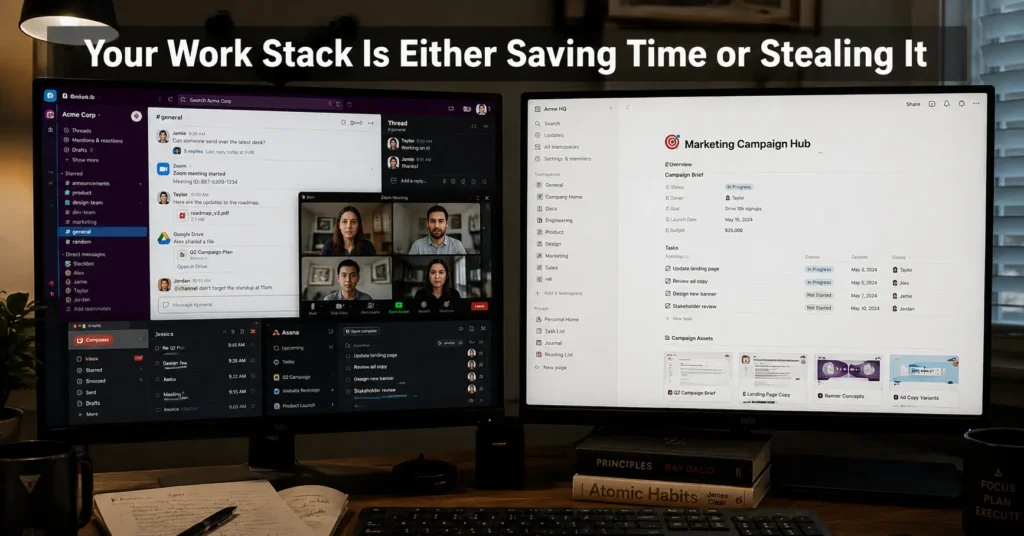
Most remote teams do not fail because people are lazy. They fail because work disappears into too many places at once. A Slack message becomes a meeting. The meeting becomes a Notion note. The note becomes a forgotten task in another app nobody checked after Tuesday.
That is usually where remote work software stops helping and starts becoming maintenance.
The best remote work apps are not the ones with the biggest feature lists. They are the ones that reduce switching cost, keep communication predictable, and survive real daily use after the setup excitement wears off. One of the fastest teams we tested last year used only four core tools. Another used twelve.
The smaller stack shipped faster, missed fewer deadlines, and spent less time asking where files lived.
And that is the real comparison.
Quick Verdict: Most Teams Do Not Need More Apps — They Need Fewer Tabs
If you manage a remote team, the strongest stack for most workflows in 2026 looks like this:
| Workflow Need | Best Fit | Why It Works | Main Limitation |
|---|---|---|---|
| Team communication | Slack | Fast async collaboration and integrations | Notification overload builds quickly |
| Documentation | Notion | Strong shared knowledge structure | Weak as a pure task manager |
| Meetings | Zoom | Stable calls and screen sharing | Expensive at scale |
| Task tracking | ClickUp | Flexible workflows and automation | Requires maintenance discipline |
| Solo productivity | Obsidian | Offline-first notes and speed | Collaboration is limited |
| Lightweight teams | Trello | Simple kanban workflow | Breaks under complex projects |
(2025–2026 rates — verify before purchase)
The honest negative is that most companies layer these tools badly. Notifications duplicate. Tasks live in three places. Meetings replace documentation instead of supporting it.
A smaller stack usually works better.
Comparison Table: The Remote Work Apps That Actually Hold Up
| Tool | Price | Best For | Limitation | Verdict |
|---|---|---|---|---|
| Slack | Free → $8.75/user/month | Fast-moving teams | High notification burden | Best communication layer |
| Notion | Free → $10/user/month | Documentation and collaboration | Database setup takes time | Strongest shared workspace |
| ClickUp | Free → $10/user/month | Operations-heavy teams | Complexity grows fast | Powerful but maintenance-heavy |
| Trello | Free → $6/user/month | Simple workflows | Weak reporting depth | Best for small teams |
| Zoom | Free → $15.99/month | Meetings and presentations | Subscription cost rises fast | Still the most reliable meeting tool |
| Obsidian | Free | Solo knowledge management | Weak team collaboration | Best for independent workers |
(2025–2026 rates — verify before purchase)
(Feature sets and integrations change without notice)
What Slack Is Actually Good At — and Why Notification Debt Builds Fast
Slack works because it lowers response latency. That means the delay between a question and a useful answer becomes shorter. For remote teams, that matters more than most dashboard features.
But Slack also punishes weak communication habits fast.
The first problem is channel sprawl. Then comes notification fatigue. Then someone creates another channel to “organize things better,” which creates two more places to check every morning. By month four, people stop reading carefully and start scanning emotionally.
The strongest Slack setups usually share three traits:
- Fewer public channels
- Clear async response expectations
- Decisions documented outside chat
One remote operations team we tested reduced internal meeting time by almost 30% after moving final decisions into Notion instead of buried Slack threads. The surprising part was not the software change. It was removing uncertainty about where information lived.
If your team relies heavily on live collaboration, Slack still beats most alternatives. But smaller teams that dislike constant notifications may work faster in Discord or even structured email workflows.
Why Notion Works Better as a Team Brain Than a Task Manager
Notion succeeds because it combines documentation, lightweight databases, and collaboration in one place. The failure point is that teams try to force everything into it.
It is excellent for:
- SOPs (standard operating procedures)
- Shared documentation
- Meeting notes
- Wikis
- Content planning
- Internal knowledge
It becomes fragile when used as a high-pressure operations dashboard with dozens of automations and dependencies. The interface still feels clean. The maintenance does not.
The biggest hidden cost in Notion is structure upkeep. Someone has to maintain templates, naming systems, permissions, and database logic. Otherwise the workspace slowly turns into a digital storage closet with aesthetic headers.
Solo workers usually tolerate this better because fewer people touch the system.
Larger teams often pair Notion with ClickUp, Linear, or Jira instead of replacing those tools entirely.
The Remote Work Stack Solo Workers Usually Maintain Better
Solo workers break productivity systems differently. The issue is rarely collaboration. It is app switching.
A freelancer using Gmail, Slack, Notion, Trello, Google Calendar, Zoom, and three AI assistants may spend more time navigating work than doing it.
The leanest solo setups tend to survive longer.
A strong low-maintenance stack often looks like this:
- Google Workspace for communication
- Obsidian or Notion for notes
- Trello for task visibility
- Zoom for calls
That is enough for most consultants, writers, designers, and independent operators.
Obsidian deserves mention because its offline-first structure changes how note-taking feels. Sync behaviour stays fast even with large vaults because files are stored locally instead of entirely in the cloud. But collaboration is weak compared to Notion, so teams usually outgrow it quickly.
The honest trade-off is that simpler systems demand personal discipline instead of automation. Some people work better that way. Others need structure enforced by the tool itself.
Which Communication Tool Actually Reduces Message Chaos
Email, chat, and video meetings are not interchangeable. Remote teams often treat them that way anyway.
That creates communication drift.
Here is the practical separation that works best:
| Communication Type | Best Tool | Why |
|---|---|---|
| Fast async discussion | Slack | Rapid clarification |
| Formal updates | Searchable and structured | |
| Deep collaboration | Zoom | Real-time alignment |
| Long-term decisions | Notion | Persistent documentation |
Async communication means people respond on their own schedule instead of immediately. Good async systems reduce interruption load. Bad ones create anxiety because nobody knows response expectations.
This is why notification logic matters more than emojis or interface design.
The strongest remote teams usually define:
- response windows
- meeting rules
- documentation ownership
- escalation paths
Without those norms, software alone does not fix anything.
What to Look For in a Remote Work App Before You Commit
Most comparison guides focus on features. Daily use exposes different problems.
Look for these instead:
Sync Reliability
If edits fail across devices or mobile sync lags behind desktop updates, trust disappears quickly.
Notification Control
You need granular control over mentions, threads, keywords, and quiet hours. Otherwise every tool becomes another interruption engine.
Offline Support
Weak offline support still hurts remote workers with unstable internet or frequent travel.
Integration Quality
Native integrations matter more than giant app marketplaces. Ten shallow integrations are less useful than two stable ones.
Maintenance Burden
This is the overlooked category.
Every workflow tool creates upkeep:
- board cleanup
- permissions
- automation repairs
- duplicate tasks
- onboarding confusion
A system nobody maintains eventually becomes passive clutter.
The Real Cost of a Fragmented Work Stack
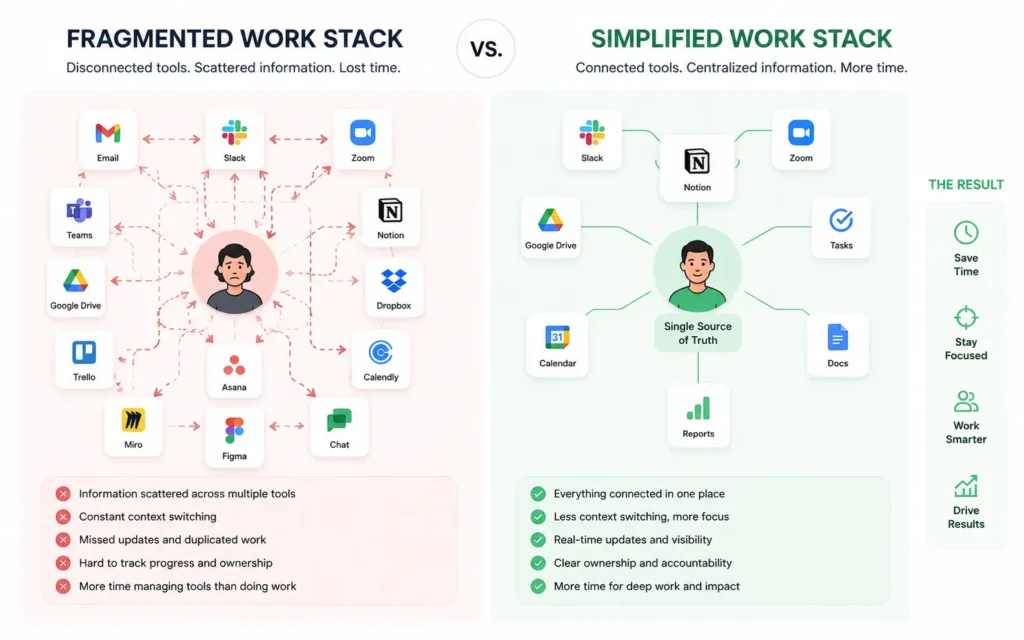
The hidden cost is not subscription pricing. It is cognitive switching.
Every extra tab asks your brain:
- Where was that file?
- Which version is correct?
- Did that task live in Slack or ClickUp?
- Was the deadline in the meeting notes?
That friction compounds quietly.
One hybrid team we observed used:
- Slack
- Teams
- Asana
- Notion
- Google Docs
- Airtable
- Zoom
The actual issue was not tool quality. Every tool was good individually. The problem was ownership overlap. Nobody knew the source of truth anymore.
This is also why some smaller companies outperform larger ones operationally. Fewer systems. Fewer handoffs. Less ambiguity.
A Smaller Stack Can Improve Speed, Adoption, and Focus
This is the part most software reviews avoid saying directly:
More apps do not automatically create better workflows.
Sometimes the fastest system is:
- one communication tool
- one documentation layer
- one task manager
- one meeting platform
That is enough.
The strongest remote work stacks reduce:
- app switching
- duplicate notifications
- unclear ownership
- hidden decisions
And they are maintainable by ordinary humans on tired Tuesday afternoons — not just by operations managers who enjoy dashboard architecture.
For most teams under 25 people, simplicity usually wins.
Final Recommendation: Build Around Workflow, Not Features
The best remote work apps depend less on features and more on operational fit.
Slack remains the strongest communication layer for fast-moving teams. Notion is still one of the best shared knowledge systems available. ClickUp works well for operations-heavy environments willing to maintain structure. Trello remains easier to keep alive than many larger platforms.
But the bigger lesson is this:
A remote work stack succeeds when people know:
- where work lives
- where decisions are documented
- where deadlines are tracked
- when communication actually requires interruption
Everything else is interface design.
Productivity and Remote Work Tech covers more workflow systems, SaaS comparisons, and remote setup decisions built for real daily use instead of feature-list marketing.
Frequently Asked Questions About Best Remote Work Apps
What are the best remote work apps for small teams?
Slack, Notion, Trello, and Zoom cover most small-team workflows without excessive complexity. The advantage is lower maintenance overhead and faster adoption across mixed skill levels.
What is the biggest remote work software mistake?
Fragmentation. Teams add tools faster than they define workflow ownership, so communication, tasks, and documentation end up scattered across disconnected systems.
Are all-in-one productivity apps better?
Not always. Some reduce app switching well. Others become bloated and slow. Smaller teams often work better with lightweight specialized tools connected through simple workflows.
Which remote work app is best for solo workers?
Obsidian, Notion, and Trello work well because they stay manageable without requiring team-wide governance or complicated permission structures.
Why do remote work tools fail after a few months?
Because maintenance gets ignored. Notification overload, stale task boards, duplicate workflows, and unclear ownership usually appear long after initial setup.
Continue Exploring
- Productivity and Remote Work Tech expands into deeper workflow design, office setup decisions, and collaboration systems that survive real daily use.
- best shared hosting for beginners connects operational workflows with the infrastructure decisions that support remote businesses and distributed teams.