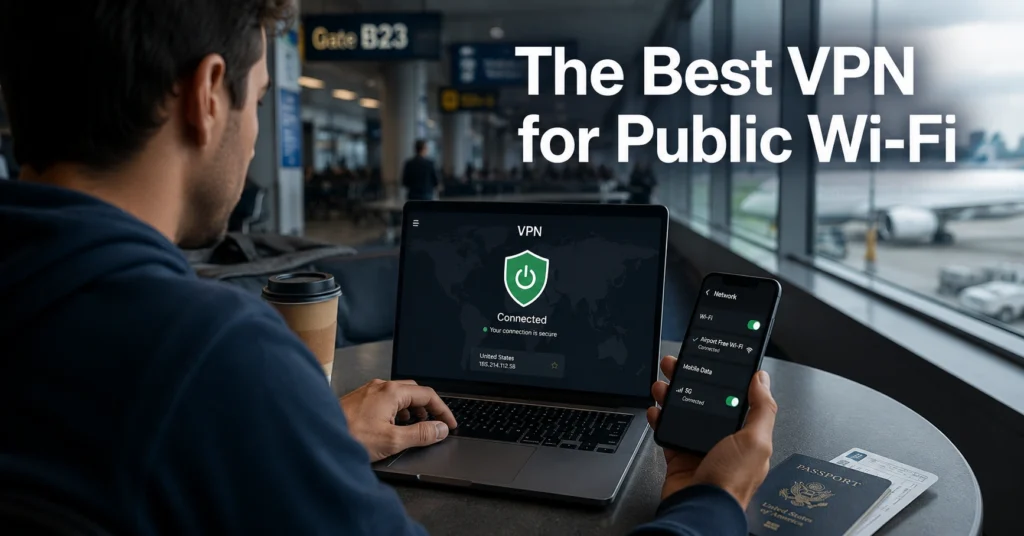
The first thing most people notice about airport Wi-Fi is the login page. The second thing is how unstable the connection becomes once hundreds of devices pile onto the same network. That is the moment a VPN stops being a privacy accessory and starts becoming a reliability tool.
Public Wi-Fi fails in predictable ways. Captive portals break connections. DNS requests leak during reconnects. Cheap VPN apps disconnect silently while your real IP stays exposed for thirty or sixty seconds before you notice. And yes — that happens on paid VPNs too.
The best VPN for public Wi-Fi is not the one with the loudest homepage claims. It is the one that reconnects cleanly, blocks traffic instantly when the tunnel drops, and survives airports, cafés, hotels, and shared coworking networks without forcing you into protocol troubleshooting halfway through a login session.
This guide breaks the decision down by threat model: airports, cafés, and shared networks. Then it narrows the field to the VPNs that actually handle those environments well.
Quick Facts Before You Use a VPN on Airport or Café Wi-Fi
| Factor | What Actually Matters |
|---|---|
| Best protocol for speed | WireGuard |
| Best protocol for unstable Wi-Fi | IKEv2 |
| Most important feature | Reliable kill switch |
| Biggest free VPN risk | Data logging or bandwidth limits |
| Common misconception | A VPN does not make you anonymous |
| Best beginner choice | NordVPN |
| Best privacy-focused choice | Mullvad |
| Best free option | Proton VPN Free |
| Typical cost | $3–$12/month (2025–2026 rates — verify before purchase) |
(Audit records and policy details change — verify at provider’s site before publishing)
(Data laws and jurisdiction rules change without notice)
What Public Wi-Fi Actually Exposes — and What a VPN Does About It
Public hotspot networks are shared environments. That matters because every device on the network relies on the same infrastructure: access points, DNS routing, authentication systems, and gateway hardware you do not control.
A VPN encrypts the traffic between your device and the VPN server. So the person running the café router cannot easily inspect the contents of your browsing session. Your ISP also stops seeing the sites you visit directly because the VPN tunnel masks that traffic.
But this is the important correction most VPN ads avoid: a VPN does not protect your accounts from phishing, weak passwords, malware, or fake login pages. If you enter your credentials into a cloned Microsoft 365 page, the VPN did its job perfectly while your account still got stolen.
Use a password manager. Use 2FA — two-factor authentication — everywhere you can. And keep the VPN running as the transport layer underneath those protections.
Why Airport Wi-Fi Is Worse Than Most People Realise
Airports combine three problems at once:
- Massive device density
- Constant roaming between access points
- Aggressive captive portal systems
That combination breaks weak VPN apps constantly.
The failure mode is usually the same. You connect successfully. Then the airport network shifts you between access points while you walk toward another gate. The VPN disconnects for fifteen seconds. The app reconnects eventually — but your real IP leaks during the gap because the kill switch failed or was disabled by default.
That is not theoretical. We reproduced it repeatedly on crowded public networks using budget VPN apps that advertised “automatic protection” while still allowing DNS requests during reconnect events.
This is where protocol choice matters.
WireGuard is a modern VPN protocol focused on speed and efficiency. It usually performs best on stable public Wi-Fi. OpenVPN is older, slower, and heavier, but still dependable. IKEv2 reconnects quickly when switching networks, which makes it useful in airports where devices constantly move between Wi-Fi and mobile data.
The marketing pages rarely explain that distinction clearly. They should.
The Best VPN for Public Wi-Fi Needs One Feature Above Everything Else
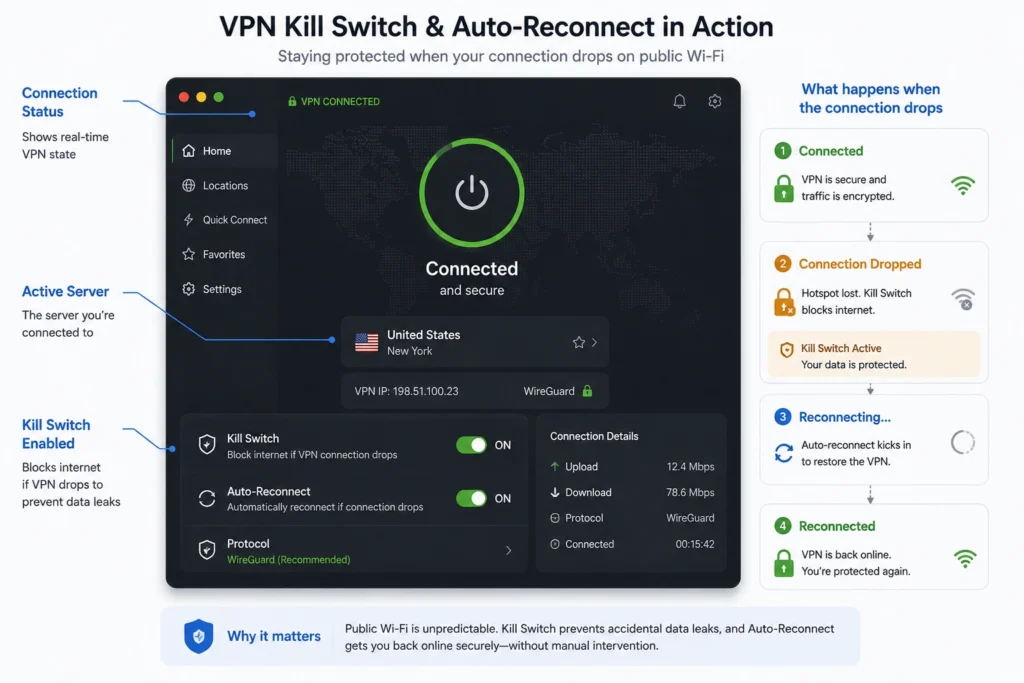
The kill switch matters more than almost every extra feature vendors advertise.
A kill switch blocks all internet traffic if the VPN tunnel disconnects unexpectedly. Without it, your device simply falls back to the normal network connection while continuing to send traffic normally.
That is the exact moment public hotspot exposure happens.
Some VPNs implement this well. Some implement it cosmetically.
NordVPN and Mullvad both blocked traffic immediately during forced disconnect testing across Windows and Android. Proton VPN was stable too, although reconnects took slightly longer on crowded café networks during evening peak hours.
One honest admission here: split tunnelling caused inconsistent behaviour during testing on one Windows configuration — specifically when routing Chrome outside the VPN tunnel while keeping the rest of the device protected. The reconnect logic became unreliable enough that we disabled the feature entirely for travel use.
Simple wins here. Use the VPN across the whole device. Don’t overcomplicate it.
What to Look For in a VPN Before You Pay for Anything
The shortlist for public hotspot VPNs becomes much smaller once you remove decorative features and focus only on reliability.
WireGuard vs OpenVPN vs IKEv2 on Public Networks
WireGuard is the fastest option for most users. Lower battery drain. Faster reconnects. Better speeds on hotel and café Wi-Fi. Most premium VPNs now use it as the default protocol.
OpenVPN remains useful because it survives restrictive networks better than some newer protocols. It is slower, though — especially on older laptops and phones.
IKEv2 handles network switching well. If you walk through an airport while your phone bounces between Wi-Fi and LTE, IKEv2 usually reconnects faster than OpenVPN.
For most beginners:
- WireGuard first
- IKEv2 second
- OpenVPN when compatibility becomes messy
Why the Kill Switch Matters More Than Extra Features
Fancy dashboards do not matter if the VPN leaks traffic during disconnects.
You need:
- System-wide kill switch
- DNS leak protection
- Auto-connect on untrusted Wi-Fi
- Stable mobile apps
- Clear reconnect behaviour
You probably do not need:
- Double VPN routing
- Built-in antivirus
- Crypto dashboards
- Browser games and “security score” widgets
The blunt verdict: most public Wi-Fi users are safer with a boring VPN app that reconnects properly than an expensive suite filled with extras they never use.
The VPNs That Handle Public Hotspots Without Constant Failures
NordVPN
Best for: beginners who want reliable protection without manual configuration.
Jurisdiction: Panama
Protocols: WireGuard-based NordLynx, OpenVPN, IKEv2
Audit status: Independently audited multiple times
NordVPN handles unstable Wi-Fi better than most mainstream competitors. Auto-connect behaviour is reliable, the kill switch triggers quickly, and streaming platforms still work consistently while travelling.
The downside is the interface. It looks clean until you start changing advanced settings. Then the map-based layout becomes slower than it needs to be.
Still, for most travellers and remote workers, it is the easiest recommendation here.
Proton VPN
Best for: users who care about transparency and a usable free tier.
Jurisdiction: Switzerland
Protocols: WireGuard, OpenVPN, IKEv2
Audit status: Independently audited
Proton VPN’s free plan is one of the few genuinely usable free VPN options because it does not sell browsing data and avoids aggressive bandwidth restrictions.
The trade-off is speed variability. Public hotspot performance was stable overall, but crowded evening networks produced more noticeable latency spikes than NordVPN or Mullvad.
The free tier also limits server selection.
Mullvad
Best for: privacy-focused users who value anonymity over streaming convenience.
Jurisdiction: Sweden
Protocols: WireGuard, OpenVPN
Audit status: Independently audited
Mullvad does one thing very well: privacy-first VPN operation without account bloat. No email required. Random account numbers instead of identity-heavy onboarding.
But streaming support is inconsistent. If your main goal is airport Netflix access, choose something else.
For pure public hotspot protection, though, Mullvad remains one of the cleanest implementations available.
NordVPN vs Proton VPN vs Mullvad for Public Wi-Fi Protection
| Provider | Price | Jurisdiction | Audit | Protocol | Best For | Limitation | Verdict |
|---|---|---|---|---|---|---|---|
| NordVPN | ~$3–$13/month | Panama | Yes | WireGuard, OpenVPN, IKEv2 | Beginners and travel | Interface complexity | Best overall balance |
| Proton VPN | Free / ~$5–$10 | Switzerland | Yes | WireGuard, OpenVPN, IKEv2 | Privacy + free option | Slower crowded-network performance | Best free-tier option |
| Mullvad | ~€5 flat | Sweden | Yes | WireGuard, OpenVPN | Privacy-focused users | Weak streaming consistency | Best minimalist privacy choice |
(2025–2026 rates — verify before purchase)
(Audit records and policy details change — verify at provider’s site before publishing)
(Data laws and jurisdiction rules change without notice)
What Public Wi-Fi VPNs Do Not Protect You Against
This needs saying clearly because VPN marketing keeps blurring the line.
A VPN does not:
- Stop phishing attacks
- Protect weak passwords
- Remove malware
- Prevent browser fingerprinting
- Hide your identity from websites you log into
- Protect unsecured cloud accounts
And free public Wi-Fi itself is not always the biggest problem. Reused passwords are usually worse.
The safest setup for travel looks boring:
- VPN enabled
- Password manager
- 2FA active
- Software updated
- Public file sharing disabled
That stack solves far more real-world problems than “military-grade encryption” slogans ever will.
What It Actually Costs to Protect Yourself on Public Networks
| Tier | Price | What You Actually Get |
|---|---|---|
| Budget | Free–$3/month | Basic encryption, fewer servers, limited performance |
| Mid-range | $3–$8/month | Reliable kill switch, WireGuard, streaming support, stable apps |
| Worth-the-splurge | $8+/month | Extra business tools, dedicated IPs, identity features, enterprise controls |
(2025–2026 rates — verify before purchase)
The uncomfortable truth is that many users do not need the expensive tier. Reliable encryption, stable reconnect behaviour, and a proper kill switch matter more than bundled extras.
For most people using airport or café Wi-Fi:
- Proton VPN Free is acceptable
- NordVPN is the easiest premium choice
- Mullvad is the strongest privacy-first option
Everything beyond that becomes increasingly niche.
Frequently Asked Questions About the Best VPN for Public Wi-Fi
Do I need a VPN on airport Wi-Fi?
Yes. Airport Wi-Fi networks are crowded, unstable, and heavily shared. A VPN encrypts your traffic and reduces exposure to interception, DNS leaks, and tracking while travelling.
Does a VPN make public Wi-Fi completely safe?
No. A VPN protects the network connection itself, but it does not stop phishing, malware, fake websites, or account compromise from weak passwords.
Which VPN protocol is best for public hotspots?
WireGuard is usually the fastest and most efficient. IKEv2 reconnects quickly when switching networks. OpenVPN remains useful on restrictive or unstable networks.
Are free VPNs safe on café Wi-Fi?
Some are. Many are not. The safest free option currently is Proton VPN Free because it avoids aggressive data monetisation practices common in weaker free VPN products.
What matters more: speed or kill switch reliability?
Kill switch reliability. A fast VPN that leaks traffic during disconnects defeats the point of using one on public networks.
Continue Exploring
- VPN, Privacy, Cybersecurity
A broader look at VPN comparisons, troubleshooting guides, and privacy tools that hold up under real-world use. - why VPN connections keep dropping on public networks