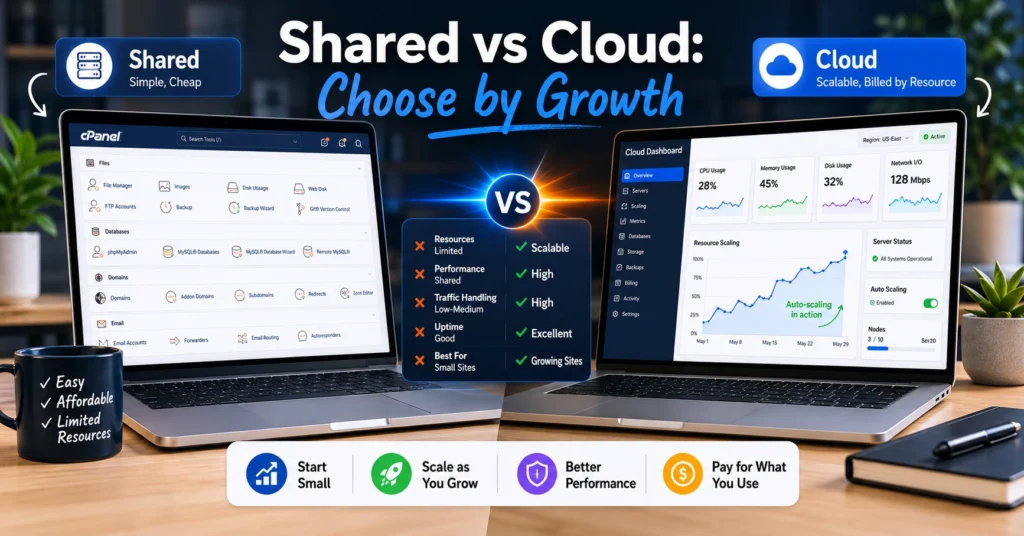
Shared hosting is the right starting point for most beginners because it keeps price, setup, and support expectations low while you validate the site’s core value. Cloud hosting isn’t automatically better — choose it only when your workload pattern (sustained growth, unpredictable bursts, or multi-site complexity) makes the operational cost and configuration overhead worthwhile.
Blutap Digital’s blunt verdict: start on shared, plan an upgrade path (VPS or managed cloud) tied to concrete traffic, resource, or reliability triggers.
The cheapest plan will get your site live in under an hour and your credit-card bill will stay under $10/month; that’s the practical reason 8 out of 10 beginners start on shared hosting. Signal: shared plans intentionally limit CPU, RAM, and concurrent PHP workers to keep per-site price low — you’ll see the limits before you see the benefits of cloud.
The real choice is not “shared vs cloud” as abstract systems — it’s “how fast will your workload grow, and where will growth break things?” This post shows the exact growth triggers that should force a migration, the failure modes you’ll hit on each setup, and the safe upgrade path for beginners who want minimal downtime and predictable costs.
How domain, DNS, hosting, and email must be arranged
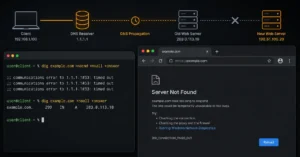
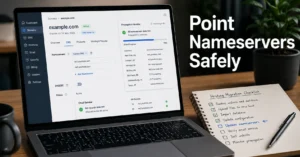
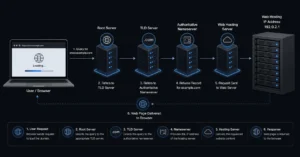
Point: Hosting choice sits inside a chain—domain → DNS → hosting → email—and getting the layers right avoids long outages. Fact: nameservers change (at registrar) can take up to 48 hours to fully propagate; TTLs control that window. Action: keep DNS at the registrar or a DNS provider you control, set low TTLs (300s) only during cutover, and never move your mail host until after web cutover is stable.
Implication: wrong order during migration (hosting first, DNS last) is the most common cause of lost email during moves.
What shared hosting actually gives you (and where it breaks)
Shared plans bundle hosting for many sites on one server to keep costs low. Extractable facts: starter shared plans typically limit concurrent PHP processes and often include 1–10 GB storage, one-click app installers, and basic backups retained for 7–14 days.
Failure modes: noisy neighbours (other sites consuming CPU), database connection limits, and slow IO under burst traffic — these cause 502/504 errors and slow pages before any billing signal appears. Honest negative: shared hosting is cheap — and it punishes growth by turning visitor spikes into timeouts. Alternative: if you need stable performance sooner, start on a low-tier managed VPS.
What cloud hosting actually gives you (and what it costs)
Point: Cloud hosting distributes compute across multiple servers and offers on-demand scaling. Extractable facts: managed cloud entry plans often have a baseline cost plus usage-based billing; many providers charge separately for CPU, RAM, and storage or for bandwidth, which makes cost less predictable.
Failure modes: unexpected invoice spikes during traffic bursts, complexity in autoscaling rules, and more moving parts to configure (load balancers, object storage, backups). Honest observation: cloud reduces single-server failure risk but increases billing and operational complexity — not a beginner autopilot. Named alternative: use managed cloud offerings with predictable bundles if you want cloud without the billing surprise.
Workload growth rules that should decide the move (the unique framework)
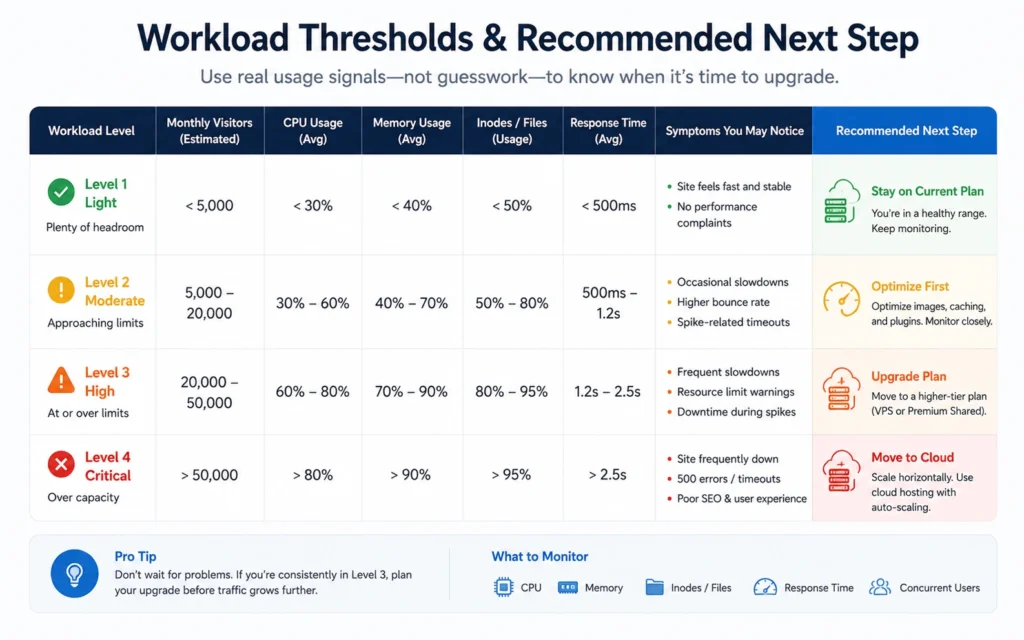
Point: Make the choice by workload growth signals, not by how “technical” the site looks. Extractable facts (threshold examples): migrate from shared to VPS when you see sustained 800–2,000 daily visits or repeated CPU limits; consider cloud when you get unpredictable bursts or need multi-region failover, or when traffic exceeds 5k–10k daily visitors with frequent peaks.
Actionable trigger list: repeated 5xx errors, database queue length growing beyond the host’s limit, or load-based slowdowns during campaigns. Implication: plan your exit before you hit the threshold — backups, DNS plan, and rollback steps ready.
Migration failure modes and the exact order to avoid them
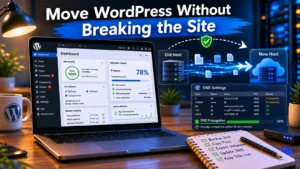
Point: Migrations fail when people cut DNS early, forget SSL re-issuance, or move mail at the wrong time. Extractable fact: correct cutover order — backup site and DB; provision new host; copy files and test on staging; update DNS or change nameservers; reissue SSL; monitor for 48 hours.
Common mistakes: lowering TTL too late; forgetting to update MX records when changing mail host; assuming automatic backups export SSL certs. Action: use a staging domain or hosts-file test to validate the new environment before DNS change.
What to pick first — safe defaults for beginners
Point: A safe default is a reputable shared hosting plan with daily backups, 24/7 support, and a documented upgrade path to VPS. Extractable facts: choose a plan that includes at least 10 GB storage, daily backups for 14 days, and staging or at least a one-click restore option.
Why: you want predictable recovery steps if an update breaks the site. Alternative for those expecting growth: start on a managed VPS if you anticipate steady 1k+ daily visits in under 6 months.
VPS vs shared hosting — the middle ground (when to choose VPS)
Point: VPS offers dedicated slices of server resources and is the predictable bridge between shared and cloud. Extractable facts: common entry VPS plans offer 1–2 vCPU, 1–2 GB RAM, and predictable IO limits at $6–$20/month (2025–2026 rates — verify before purchase).
When it wins: steady traffic, need for more control (cron jobs, custom caching), or when you want stable billing. When it loses: if you need automatic horizontal scaling during huge unpredictable spikes.
Cost reality and bookkeeping (what billing surprises look like)
Point: Shared hosting is usually fixed-price; cloud is often variable — know the likely surprise. Extractable facts: cloud costs include baseline instance fees, storage, I/O, and bandwidth charges; a brief ad campaign can double monthly usage-based charges.
Money-saving move: enable alerts, set budget caps where providers allow, or choose managed cloud bundles with fixed monthly pricing. Freshness language: list any price numbers with “(2025–2026 rates — verify before purchase)”.
Final verdict — direct recommendation by beginner profile (blunt)
Point: If your site is a basic business site, portfolio, or single-author blog, start on shared; it keeps money and complexity low. If you plan sustained traffic growth within six months, or run time-sensitive e-commerce, start on VPS or a managed cloud bundle. Blunt verdict: don’t buy cloud because it’s fashionable; buy it because your workload pattern demands autoscale, redundancy, or geographic presence.
Honest admission: we’ve seen migrations delayed because the team picked “cloud” early and then wasted hours wrestling with billing and load balancers.
Frequently Asked Questions About shared vs cloud hosting
Which one is cheaper for a new blog?
Start with shared — most starter plans are under $10/month; cloud has lower entry points but usage can push costs higher.
Can I move from shared to cloud without downtime?
Yes, if you follow the cutover order: provision, copy, test, change DNS, reissue SSL, monitor. Expect a brief propagation window; use low TTLs during cutover.
When should I pick VPS instead of cloud?
Pick VPS when you need predictable performance and billing with moderate technical control; it’s the right middle ground for steady growth before autoscaling is necessary.
Will cloud hosting fix email deliverability issues?
No. Email trust depends on SPF, DKIM, DMARC, PTR, and IP reputation; migrating hosting doesn’t fix misconfigured authentication. Configure all mail records and test deliverability.
CONTINUE EXPLORING
- Web Hosting, Domains, Email Infrastructure — overview of the category and where hosting fits into the full stack. (Deepen)
- Migration checklist for site moves — practical rollback steps and DNS timing. (Breadth)