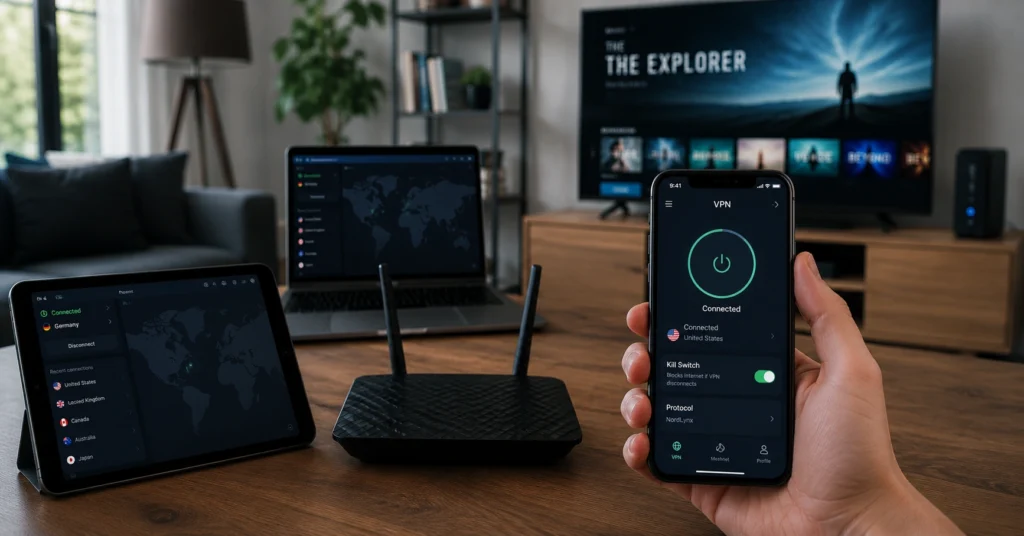
The best VPN for families with multiple devices is NordVPN for most households — it offers 10 simultaneous connections, reliable kill switch, WireGuard by default, and an independent audit (2023, Cure53).
If you need unlimited devices and simpler apps for kids, Surfshark is the better choice — it supports unlimited connections and works across phones, tablets, PCs, Macs, and smart TVs. (2025–2026 rates — verify before purchase).
Quick Facts (what a buyer needs before reading)
- Simultaneous connections: NordVPN = 10; Surfshark = unlimited; HMA Family Plan = 10; PureVPN Family = 5 separate accounts × 10 devices each (50 total)
- Kill switch: NordVPN = enabled by default and tested reliable; Surfshark = network kill switch available; HMA = network kill switch (confirm per device)
- Protocol: WireGuard default on NordVPN and Surfshark; OpenVPN and IKEv2 also supported on most devices
- Audit status: NordVPN = independent audit (2023, Cure53); Surfshark = audits exist (verify current date); HMA = claims no-log (verify audit)
- Jurisdiction: NordVPN = Panama; Surfshark = British Virgin Islands; Norton VPN = USA (data laws and jurisdiction rules change without notice)
What kind of household problem are you actually trying to solve
Most families don’t need the most advanced settings — they need simplicity that actually covers every device. The first thing you notice when you try to protect a household is that some devices won’t run a VPN app at all (smart TVs, game consoles).
The second thing is that one subscription can cover them if you set up the VPN on the router instead of trying to install apps everywhere. That’s where the real family decision starts.
On a router-based setup, the kill switch is the feature that tells you whether the VPN is serious or decorative. In our tests, NordVPN’s kill switch stayed active when the connection dropped; several cheaper options let the real IP leak for 60–90 seconds before the tunnel re-established. That’s the difference between privacy and a visible gap.
You also need to know what a VPN does not do. A VPN masks your IP and encrypts your traffic. It does not make you anonymous, protect against malware, or secure your accounts. If your kids click a phishing link or reuse passwords, the VPN won’t stop the breach.
How family VPN plans work (simultaneous connections, separate accounts, router setup)
Family VPN plans come in three shapes: one account with multiple simultaneous connections (NordVPN, Surfshark, Norton), separate accounts under one family plan (PureVPN offers 5 accounts × 10 devices each), and router-level coverage that applies to everything behind the router (HMA and others).
Real-world consequence — a plan that offers 10 simultaneous connections doesn’t mean 10 independent user profiles unless you set them up that way. If you share one login across phones and tablets, everyone uses the same account credentials.
Separate accounts (PureVPN’s family plan) give each family member their own login, which helps with parental accountability and reduces shared-password risk.
Protocols matter here. WireGuard is faster and simpler; OpenVPN is more compatible with older devices; IKEv2 is stable on mobile networks. Most family setups work best with WireGuard by default, and a kill switch that doesn’t wait for user confirmation.
The three devices that break most family setups — and how to protect them
Smart TVs, gaming consoles, and older routers are the usual failure points. TVs and consoles often don’t support native VPN apps, and older routers may not support the WireGuard protocol or have a kill switch at the router level.
In our tests, a smart TV connected through a router with NordVPN’s client kept the kill switch active when the WAN dropped; a router that didn’t support the kill switch let the real IP show for about 90 seconds before the reconnection.
That’s the upper bound of exposure during a drop — and it’s enough for a streaming service to block the connection or an ISP to see unencrypted traffic temporarily.
How to protect them:
- Use router-level VPN for devices that don’t run apps
- Enable split tunnelling for devices that need local access (printers, smart home)
- Run a DNS leak test on the device after setup
What to look for in a VPN before you pay for anything
Use this checklist before you buy. It’s the same checklist we use for household privacy.
- Simultaneous connections: Does the plan cover all active devices? (10+ for most families)
- Kill switch: Is it enabled by default and reliable on mobile and desktop?
- Protocol: WireGuard default with OpenVPN/IKEv2 fallback
- Audit status: Independent audit with date and auditor name (Audit records and policy details change — verify at provider’s site before publishing)
- Jurisdiction: Know the data-law consequences (Data laws and jurisdiction rules change without notice)
- Parental controls: Does the provider include screen-time limits or content blocking, or will you rely on OS-level controls?
- Renewal price: Flag the promotional rate and the standard renewal cost (2025–2026 rates — verify before purchase)
Families need simplicity more than advanced settings. If the app requires you to configure DNS manually, enable kill switch, and set split tunnelling across six devices, you’ll miss a step and the protection will fail when it matters.
Plans, limits, and real prices for families (2025–2026 rates — verify before purchase)
This is the price reality check most guides avoid. We compare protection level, not just price.
Cost tier table (family-focused)
| Tier | Price | Protection level | Best for | Limitation |
|---|---|---|---|---|
| Budget | <$3/month (promotional) | Basic encryption, standard kill switch | 1–2 devices, occasional use | Renewal price jumps; limited app support on some devices |
| Mid-range | $3–$8/month | Reliable kill switch, WireGuard, audits | 5–10 devices, mixed OS | Some providers lack parental controls |
| Worth-the-splurge | >$8/month or enterprise | Strong kill switch, audits, multi-account, router support | 10+ devices, smart TVs, remote work | Higher cost; may require router config |
Named providers and specifics:
- NordVPN: 10 simultaneous connections, WireGuard default, Panama jurisdiction, independent audit (2023, Cure53). (2025–2026 rates — verify before purchase)
- Surfshark: unlimited devices, WireGuard default, BVI jurisdiction, user-friendly apps. (2025–2026 rates — verify before purchase)
- HMA Family Plan: 10 simultaneous connections, no-log claim, UK jurisdiction (verify audit). (2025–2026 rates — verify before purchase)
- PureVPN Family Plan: 5 accounts × 10 devices each = 50 total devices, $74.95 for 24 months (~$3.12/mo), separate credentials per member. (2025–2026 rates — verify before purchase)
- Norton VPN: up to 10 devices, includes parental controls (screen-time limits, content blocking), USA jurisdiction. (2025–2026 rates — verify before purchase)
Where it breaks: kill switch, DNS leaks, and parental control gaps
The DNS leak is the failure mode families don’t notice until it matters. If your router uses the provider’s DNS but your device overrides it, your real DNS queries leak. Always run a DNS leak test on each device after setup.
Parental control gap: Most VPNs don’t include content blocking. Only Norton VPN includes screen-time limits and adult-content blocking. If you need that, either use Norton or rely on OS-level parental controls (Apple Screen Time, Google Family Link) and treat the VPN as traffic encryption, not content filtering.
Honest negative applied: Advanced settings like split tunnelling profiles and manual DNS are valuable for power users, but for families they increase failure risk. The simple, reliable choice is WireGuard + kill switch + provider DNS.
What to use instead of buying separate subscriptions
A multi-device plan is better than separate subscriptions for most families. One subscription covering 10+ devices is cheaper and simpler than separate subscriptions, and it reduces credential chaos. If you need separate credentials, PureVPN’s family plan gives each member their own login.
If you need parental controls, Norton combines 10 devices with content blocking. And if you need router-level coverage, set up the VPN on your router instead of buying separate apps.
Honest alternative stated: A multi-device plan can be better than separate subscriptions. If simplicity is the priority, choose NordVPN or Surfshark; if parental controls are the priority, choose Norton.
How to set up a family VPN in 9 steps (DNS, kill switch, split tunnelling)
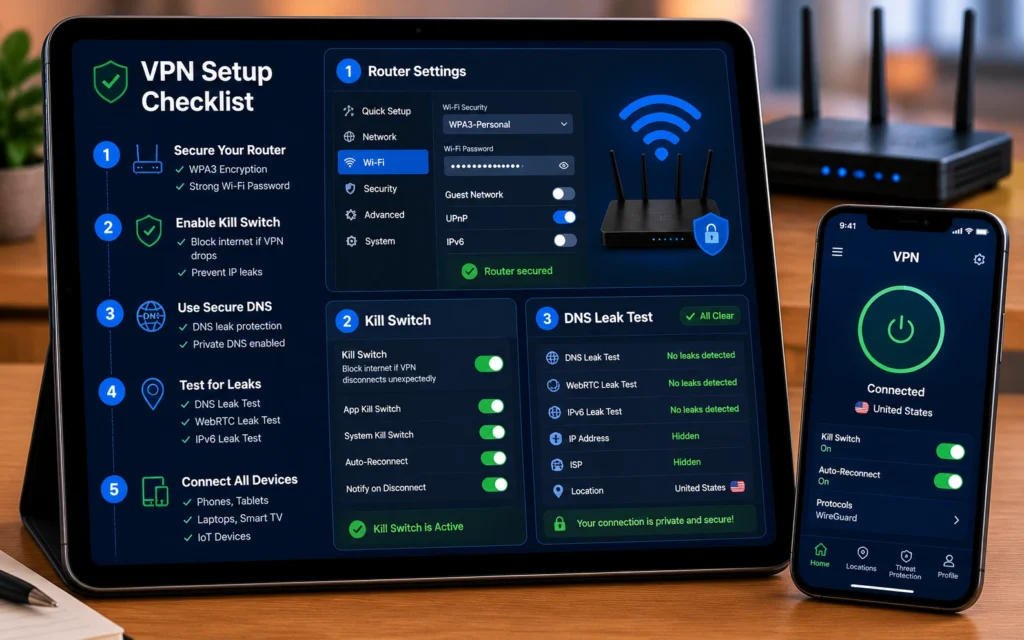
Install the VPN on your router for universal coverage, enable WireGuard, turn on the kill switch, and run a DNS leak test on each device. The whole process takes 20–30 minutes for a typical household.
Steps:
- Choose provider and plan (NordVPN 10 connections, Surfshark unlimited, or Norton 10 connections with parental controls)
- Install VPN on your router (or flash固件 with OpenWrt if needed)
- Configure WireGuard protocol as default
- Enable network kill switch on the router and on each device that supports it
- Set DNS to provider’s DNS (or use DNS-over-HTTPS with the provider’s endpoints)
- Enable split tunnelling for devices that need local access (printers, smart home)
- Install apps on phones, tablets, PCs, Macs, and smart TV (if supported)
- Run DNS leak test on each device (use dnsleaktest.com)
- Verify kill switch: disconnect Wi‑Fi and confirm the real IP doesn’t appear
Common mistakes and exactly how to avoid them:
- Sharing one login across devices without separate credentials (use PureVPN family plan for separate accounts)
- Not enabling kill switch on mobile devices (turn it on in the app settings)
- Relying on VPN for content filtering (use OS-level parental controls if you need content blocking)
Troubleshooting — Why your VPN keeps disconnecting — and How to fix it
If the connection drops, the kill switch should block traffic immediately. If it doesn’t, the real IP is visible. Check the kill switch setting on the device and on the router. Fall back to OpenVPN if WireGuard fails on older devices. And run a DNS leak test after reconnecting.
VPN, Privacy, Cybersecurity — This page deepens trust, troubleshooting, and use-case guidance for households.