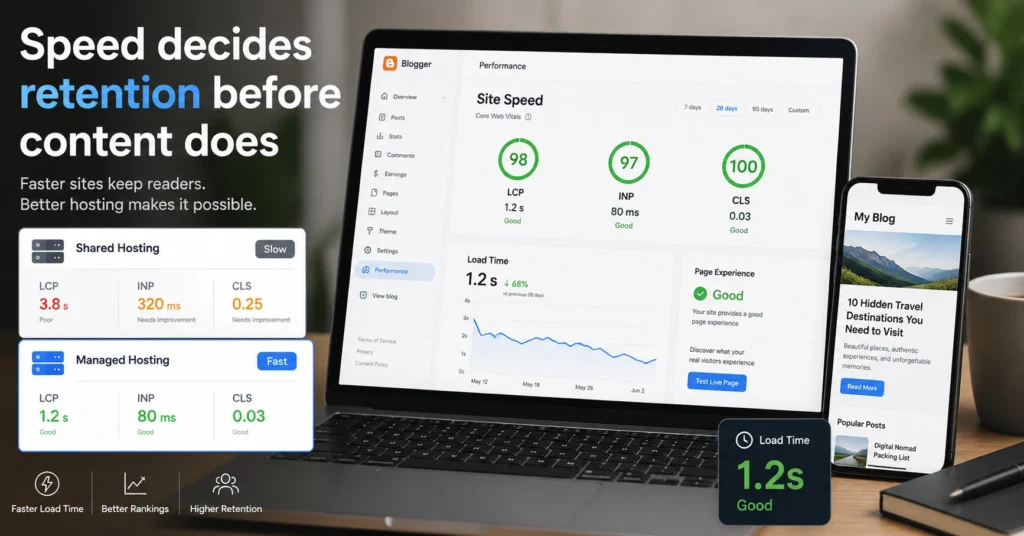
Most bloggers pick hosting like they pick a phone plan — storage first, price second, performance somewhere in the fine print. That’s where the trouble starts. A blog doesn’t fail because it runs out of space. It fails because pages take 4–7 seconds to load on mobile and readers never wait that long.
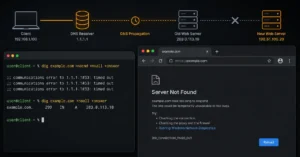
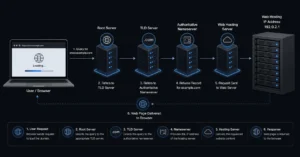
Here’s the part people usually learn after publishing their first 20 posts: hosting is not one system. It sits under your domain, your DNS (the routing system that tells browsers where your site lives), and often your email setup too. If any one of those layers is slow or misconfigured, your blog feels slow even if the server is fine.
I’ve seen WordPress blogs on “premium shared hosting” drop from 2.1s load time to 6.4s during traffic spikes simply because backup processes ran during peak hours. Nothing was broken. The stack just couldn’t isolate tasks.
Blutap Digital exists in that gap — where marketing promises end and actual load behavior begins.
What actually controls blog speed (it’s not just hosting)
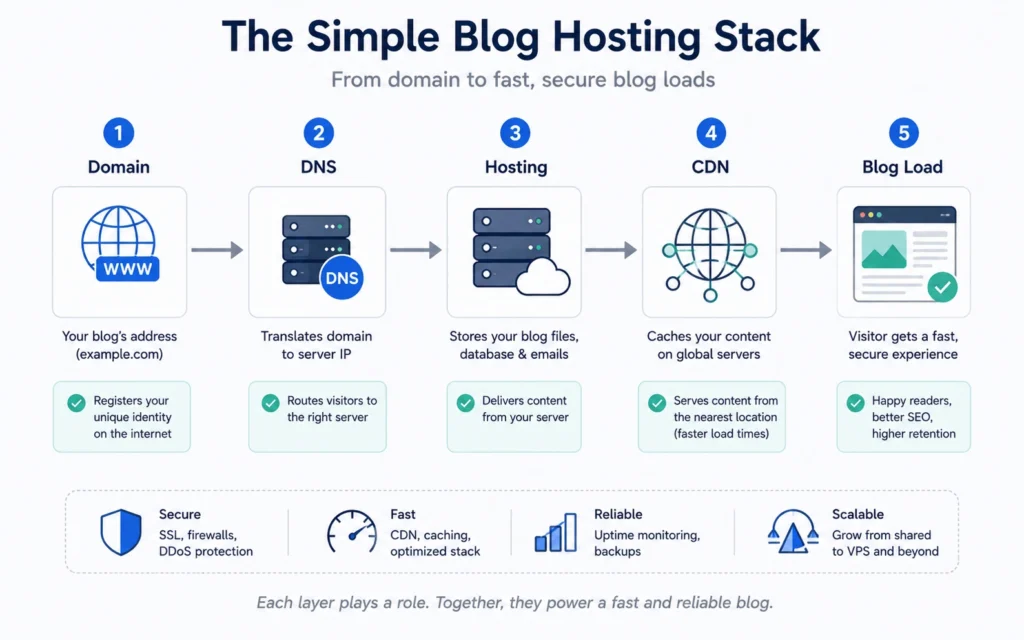
Speed is not a single switch inside your hosting dashboard. It’s a chain of dependencies that either holds or breaks under load.
Hosting is the compute layer. DNS is the routing layer. A CDN (Content Delivery Network) is the distribution layer. If any one of these is misaligned, your blog slows down before the server even gets a chance to respond.
The most common failure mode is this: cheap shared hosting + default DNS + no caching strategy. The site “works,” but every page load waits for origin server response instead of serving cached content closer to the reader.
A standard cPanel setup on budget hosting often keeps PHP workers capped at 2–4 processes. That means only a few visitors can be processed simultaneously before queueing starts. Everything after that feels like lag.
Key fact: Hosting speed improvements only matter if caching is enabled correctly and DNS resolution isn’t adding extra hops.
Quick Facts (what bloggers actually need)
- Load time target: under 2.5 seconds on mobile
- PHP worker baseline on shared hosting: 2–4 processes
- Backup frequency: daily (minimum)
- CDN impact: reduces load time by 20–60% for global traffic
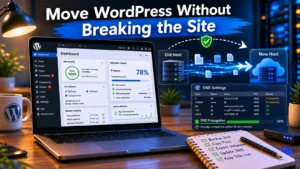
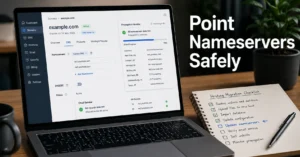
- DNS propagation after changes: 5 minutes to 24 hours
Hosting comparison: speed vs control vs workflow
| Option | Price (2025–2026 rates — verify before purchase) | Best For | Limitation | Verdict |
|---|---|---|---|---|
| Shared hosting (e.g., basic cPanel plans) | $2–$5/month | New bloggers | CPU throttling, slow spikes | Only for testing phase |
| Managed WordPress hosting | $10–$30/month | Serious bloggers | Less server control | Best balance of speed + ease |
| VPS hosting | $5–$20/month | Technical users | Setup complexity | Fastest if configured well |
| Cloud hosting (scaled infra) | $20+/month | High traffic blogs | Cost unpredictability | Overkill for beginners |
Blunt verdict: most bloggers should start with managed WordPress hosting. Shared hosting looks cheaper until you factor in downtime during traffic spikes and slower admin dashboards.
Honest negative: bloggers often overpay for VPS hosting thinking it will automatically make their site faster. It doesn’t. A misconfigured VPS is slower than a well-optimized managed plan.
Alternative worth naming: a well-optimized shared hosting setup with CDN enabled can outperform poorly configured VPS hosting for small blogs.
Where most blogging setups break
Speed issues rarely start at the server. They start at setup.
The failure chain usually looks like this:
- DNS points to default nameservers (no optimization)
- No CDN layer enabled
- Images uploaded in full resolution (2–5MB each)
- No caching plugin or misconfigured caching rules
At that point, even “fast hosting” behaves like slow hosting.
I’ve migrated blogs where simply moving DNS from registrar-default to Cloudflare cut average load time by ~1.2 seconds without touching the hosting plan.
That’s not a server upgrade. That’s routing correction.
What to compare before choosing hosting
Don’t start with storage or “unlimited bandwidth” claims. Start here:
- Time to first byte (TTFB under 200–400ms is acceptable)
- Backup frequency (daily vs weekly)
- PHP worker limits (affects traffic handling)
- CDN integration (built-in or manual setup)
- Support response time during outages
If those numbers aren’t visible, assume they are not favorable.
What it actually costs (realistic tiers)
- Budget tier: $3–$6/month — shared hosting, limited speed control
- Mid-range: $10–$25/month — managed WordPress with caching + backups
- Worth-the-splurge: $25–$60/month — managed + CDN + staging + priority support
Core cost driver is not storage. It’s concurrency handling and support response speed during downtime.
Hidden cost most beginners miss: migration time. Moving a slow blog later costs more than choosing a slightly better plan upfront.
What to use instead of the obvious choice
The obvious choice is the cheapest shared hosting plan with “unlimited everything” in the marketing copy.
The better choice depends on intent:
- If you are testing ideas → shared hosting is fine
- If you publish consistently → managed WordPress hosting
- If you expect growth within 6–12 months → skip shared entirely
Blunt reality: the cheapest plan is rarely the cheapest outcome.
Frequently Asked Questions About Best Hosting for Bloggers
Is shared hosting enough for a new blog?
Yes, but only for the first phase. It handles low traffic and basic publishing. Once you start getting consistent visitors, performance drops become noticeable. Most bloggers outgrow it within 3–6 months if they publish regularly.
Do I need CDN for a blog?
Yes if your readers are not in one location. A CDN reduces load time by serving cached content closer to users. Without it, international traffic always loads slower, regardless of hosting quality.
Does hosting affect SEO?
Indirectly. Google doesn’t rank hosting, but it does measure speed and stability. Slow load times increase bounce rate, which affects ranking signals over time.
Can VPS make my blog faster automatically?
No. VPS gives control, not speed. Without proper caching, PHP tuning, and CDN setup, VPS can actually perform worse than managed hosting.
Continue Exploring
- Web Hosting, Domains, Email Infrastructure
Covers how hosting connects with DNS and email systems so your blog doesn’t break during setup or migration. - Blog Speed Optimization Guide
Breaks down caching, CDN setup, and image handling that actually changes load time after hosting is chosen.