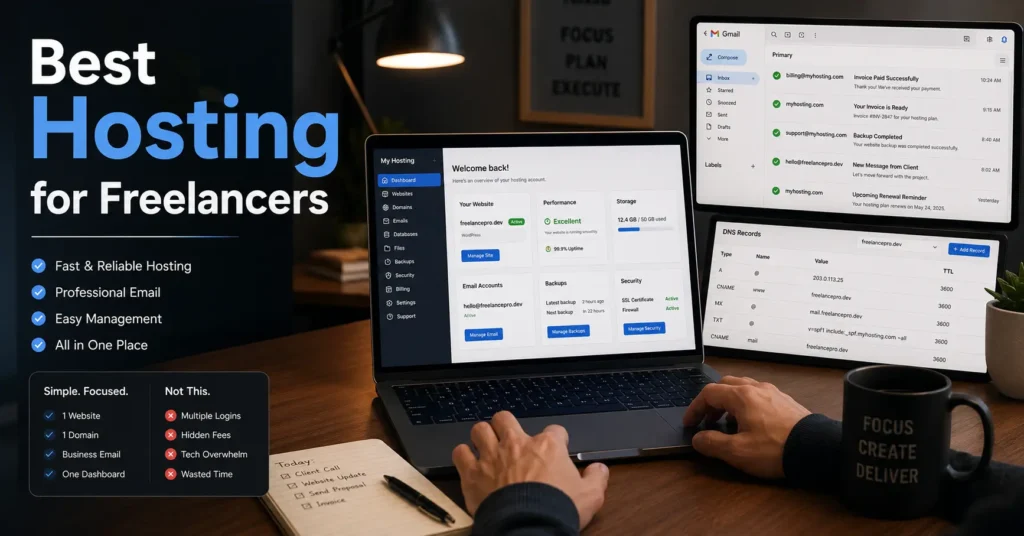
The first hosting setup usually works right up until the moment a client email disappears, SSL fails during renewal, or the invoice quietly triples after year one. That is where most freelancer hosting reviews stop being useful.
The real problem is rarely storage space or bandwidth. It is operational drag — too many dashboards, unclear billing, broken DNS records, and support teams passing responsibility to someone else.
A freelancer running one portfolio site, one client-facing business site, or one creator brand does not need enterprise infrastructure. You need stable hosting, predictable billing, basic backups, working email authentication, and fewer moving parts to break later. The safest setup is usually the boring one. And for solo operators, boring is good.
Quick comparison table: the safest hosting setups for solo work
| Option | Starting Price | Best For | Limitation | Verdict |
|---|---|---|---|---|
| Managed WordPress Hosting | $10–30/month (2025–2026 rates — verify before purchase) | Freelancers who want fewer technical tasks | Higher renewal pricing | Best balance for most solo creators |
| Shared Hosting | $2–12/month (2025–2026 rates — verify before purchase) | Budget-first beginners | Weak support and crowded servers on cheaper plans | Fine for one small site |
| Site Builders With Hosting Included | $15–40/month (2025–2026 rates — verify before purchase) | Portfolio-only creators | Limited migration flexibility | Simplest setup |
| VPS Hosting | $20–80/month (2025–2026 rates — verify before purchase) | Technical freelancers | Maintenance responsibility shifts to you | Usually overkill for one site |
The hosting mistake freelancers make first — too many moving parts
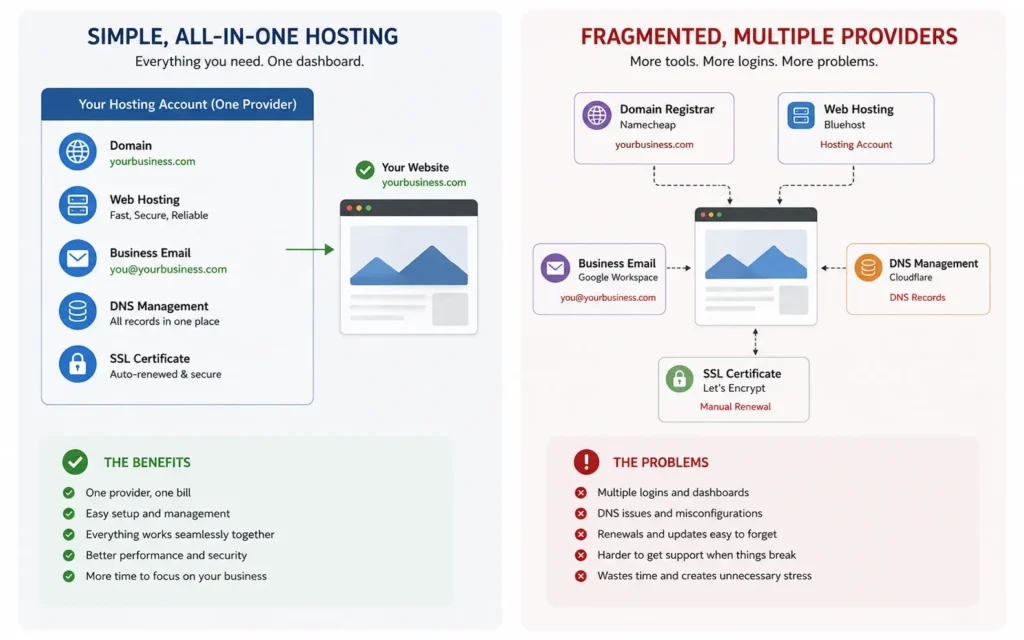
The problem is not usually the host itself. It is the stack around it.
A common beginner setup looks like this:
- domain at one registrar,
- DNS at Cloudflare,
- website hosting elsewhere,
- email at another provider,
- and SSL managed by whoever happens to answer support tickets first.
It sounds flexible. It becomes exhausting when something breaks.
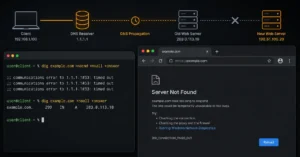
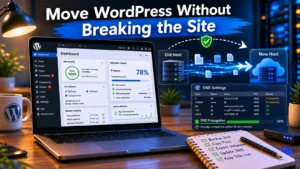
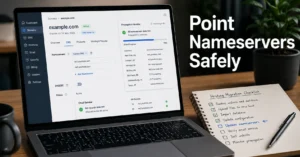
The operational cost shows up later — during migrations, renewals, or DNS propagation after a nameserver change. A freelancer with one site rarely benefits from infrastructure complexity. What you actually need is clarity about who controls:
- the domain,
- DNS records,
- email routing,
- SSL certificates,
- and billing.
The blunt truth: simple management often beats more advanced panels for solo users.
What freelancers actually need from hosting — and what they usually overbuy
Most freelancer websites do not need:
- dedicated servers,
- advanced caching layers,
- Kubernetes deployments,
- or aggressive scaling features.
They need:
- reliable uptime,
- daily backups,
- staging for WordPress updates,
- fast support,
- and email that does not land in spam.
That last part matters more than most hosting reviews admit.
If your proposal emails or invoices fail SPF, DKIM, or DMARC checks, your business looks smaller than it is. SPF records tell inbox providers which servers can send mail for your domain. DKIM signs outgoing messages cryptographically. DMARC defines how failed mail authentication should be handled.
Cheap hosting companies often advertise “free email hosting” without explaining mailbox limits, SMTP restrictions, or deliverability quality. Then your contact form quietly stops reaching clients three months later.
Use a separate inbox provider if email matters to your business. Don’t learn that during a missed payment dispute.
Shared hosting vs managed WordPress hosting for one-client or one-brand sites
For most freelancers, the real decision is not “Which host is best?” It is this:
How much maintenance do you want to own yourself?
Shared Hosting
Shared hosting is cheaper because multiple websites share the same server resources. Plans between $3–10/month usually include:
- one-click WordPress installs,
- basic email hosting,
- SSL certificates,
- and limited backups.
The downside appears during traffic spikes, support requests, or malware cleanup. Budget shared hosting also tends to hide renewal pricing behind aggressive first-year discounts.
Still, for one portfolio site with low traffic, it works.
Managed WordPress Hosting
Managed WordPress hosting costs more — usually $15–35/month — but removes a large amount of maintenance work:
- automatic updates,
- staging environments,
- better backups,
- stronger support,
- and WordPress-specific optimization.
This is the safer default for freelancers billing clients for website work.
Because when something breaks at 11:40 PM after a plugin update, the value of competent support suddenly becomes very easy to calculate.
The beginner trap: cheap first-year pricing and ugly renewal invoices
A large percentage of freelancer hosting decisions are made from comparison tables showing promotional pricing.
That is not the real cost.
A host advertising:
- $2.99/month
may renew at: - $11.99/month,
- plus backups,
- plus email,
- plus domain renewal,
- plus security add-ons.
The first invoice attracts beginners. The second invoice reveals the business model.
And this matters because solo creators usually want predictable operating costs, not pricing games.
Look for:
- clear renewal pricing,
- monthly billing options,
- free SSL,
- included backups,
- and transparent domain renewal fees.
Avoid hosts that aggressively upsell:
- malware scanners,
- CDN bundles,
- or “priority support” during checkout.
If the setup process feels like buying airline add-ons, expect the support experience to feel similar later.
The email problem most freelancer hosting guides ignore
Website hosting and business email are different systems.
That boundary matters.
A site can work perfectly while email fails completely because:
- MX records are wrong,
- SPF records are incomplete,
- DKIM was never configured,
- or DNS propagation has not completed yet.
This is why freelancers should separate “website uptime” from “business communication reliability.”
A stable setup for most solo creators looks like this:
- domain registration with a reputable registrar,
- managed WordPress hosting,
- business email through Google Workspace or Microsoft 365,
- DNS handled in one clear location.
Not because it is the cheapest setup. Because it reduces support confusion later.
The first time you move hosting providers, you will understand why keeping email independent matters.
The safest hosting setups for freelancers who never want to touch DNS again
Some freelancers genuinely do not want infrastructure responsibility. That is reasonable.
For those users, simplicity wins over flexibility.
The safest beginner-friendly setups usually include:
- hosting,
- SSL,
- backups,
- updates,
- and support
inside one managed dashboard.
This is where managed WordPress platforms often outperform cheaper shared hosts for solo operators.
Not because they are technically superior in every category. Because they reduce operational decisions.
That matters when your business depends on one website staying online while you are also handling:
- client work,
- invoicing,
- proposals,
- and content creation.
A stable boring setup beats a powerful fragile one almost every time.
When simple hosting stops being enough
There is a point where beginner hosting starts creating friction.
Typical signs:
- client sites sharing one account,
- slow admin dashboards,
- staging limitations,
- support delays,
- poor WooCommerce performance,
- or unreliable email routing.
That is usually the upgrade point.
And the next move is not always “bigger hosting.”
Sometimes the better decision is:
- separating email from hosting,
- moving DNS management,
- using managed WordPress hosting,
- or improving backup strategy first.
A surprising number of freelancers jump straight to VPS hosting before fixing the actual bottleneck.
Then they inherit server maintenance, patching, monitoring, and security responsibilities they never wanted.
Don’t do that unless infrastructure management is part of your business model.
What to use instead of the obvious “all-in-one” setup
The obvious beginner setup is:
- buy domain,
- buy hosting,
- use included email,
- keep everything in one account forever.
That works until migration day.
The safer long-term approach usually looks like this:
- domain at a strong registrar,
- managed hosting for the website,
- separate business email provider,
- backups independent from the host.
Slightly more expensive. Far easier to recover from failure.
And recovery matters more than launch speed.
Freelancers rarely lose time because setup took an extra 20 minutes. They lose time because untangling a broken hosting stack takes six hours and three support tickets later.
That is the real hosting comparison most buyer guides skip.
Frequently Asked Questions About Best Hosting for Freelancers
What is the best hosting for freelancers with one website?
Managed WordPress hosting is usually the safest choice for freelancers managing one professional website. It costs more than budget shared hosting, but staging, backups, support quality, and update handling reduce operational problems later.
Is shared hosting enough for a freelancer website?
Yes — for many beginners. Shared hosting works well for portfolio sites, brochure sites, and low-traffic business pages. The trade-off is weaker support, noisier server environments, and more maintenance responsibility if problems appear.
Should freelancers keep domains and hosting with the same company?
For beginners, keeping domain registration and hosting together can simplify setup. Long term, separating the registrar from the hosting provider often gives better migration flexibility and cleaner operational control.
Do freelancers need business email with hosting?
Usually yes. But hosting email and business email are not identical. Dedicated business email providers like Google Workspace generally provide better deliverability, spam filtering, and mailbox reliability than bundled hosting email.
What hosting should freelancers upgrade to later?
The next upgrade is usually managed WordPress hosting or stronger backup infrastructure — not a VPS. Most freelancers benefit more from reliability and support than raw server control.
Continue Exploring
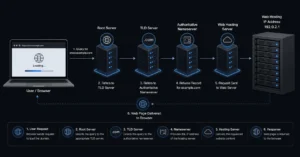
- Web Hosting, Domains, Email Infrastructure explains how hosting, DNS, domains, and email systems connect before migration problems start.
- managed WordPress hosting for beginners breaks down when paying more for managed hosting actually saves time later.