The first thing you learn about best hosting for bloggers is that the cheap plan is rarely the expensive part. The expensive part is the rebuild when your blog starts loading slowly, backups are half-working, and staging does not exist when you need it most. For a blog that wants to scale, the real decision is not hosting versus hosting — it’s whether you want a setup that survives growth without turning into a weekend project.
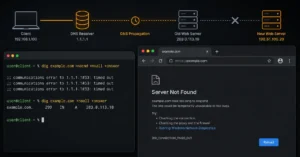
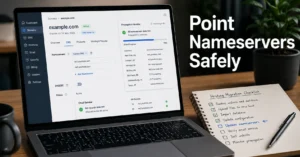
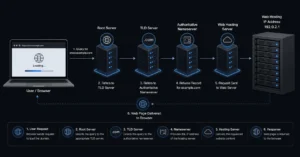
That matters because the stack is connected in a specific order: your domain points to DNS, DNS points traffic to the host, and the host is where your WordPress files, database, cache, and backups live.
When that chain is clean, the blog feels easy. When it is messy, you end up chasing SSL errors, nameserver confusion, and a support inbox that answers slowly. One practical detail that separates good hosting from marketing copy: staging only helps if it’s easy to spin up and clone changes back without breaking the live site.
What hosting for bloggers rewards — and what it punishes when you pick wrong
The right host rewards speed, simple restores, and a clean upgrade path. The wrong one rewards sticker price and punishes you later with slow page loads, weak backups, and no staging when you want to test a theme change or plugin update.
Shared hosting is the classic beginner trap because it looks cheap and stays cheap until traffic, plugins, and media files pile up. Managed WordPress hosting costs more, but it usually gives you better caching, automatic backups, and a support team that understands WordPress instead of reading from a script.
Cloud VPS sits on the other end: stronger headroom, more control, more work.
Shared hosting works until it doesn’t
Shared hosting can launch a small blog without much friction. The problem is that you share server resources with other sites, so your performance can wobble when the account around you gets busy. That is why bloggers often discover the limit only after their posts start ranking.
A realistic ceiling is not the same for every host, but the pattern is consistent: once the site starts depending on speed for search and ad revenue, shared hosting feels tight. One Reddit discussion on scaling blogs put the rough switch point at about 1,000 daily users before moving toward a VPS, which matches the practical pattern many operators see. That number is not a law, but it is a useful warning.
Managed WordPress hosting is the safer default
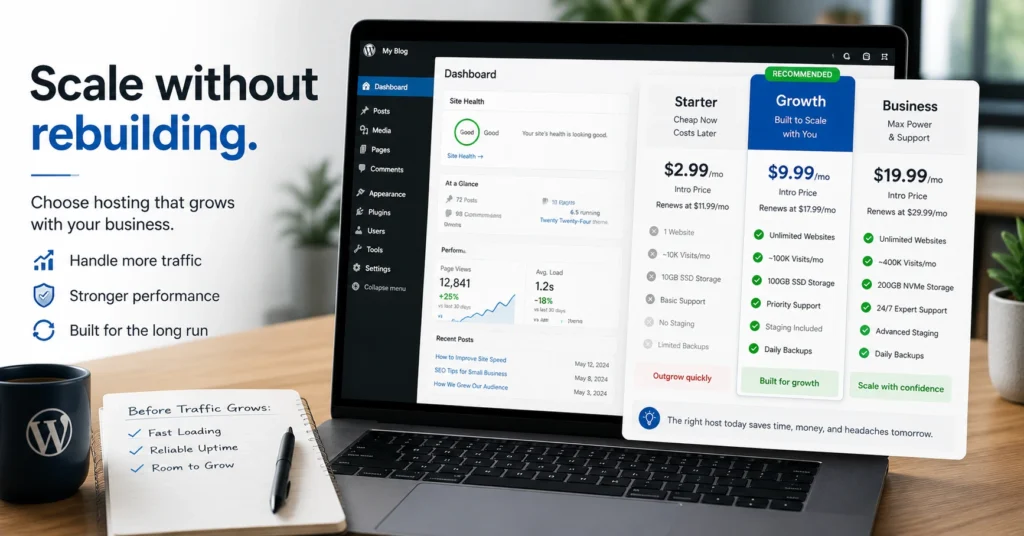
Managed WordPress hosting is the safe default for most bloggers who want to scale without becoming their own sysadmin. It usually includes automatic updates, backups, caching, and WordPress-aware support, which removes a lot of low-value maintenance. For a beginner, that matters more than shaving a few dollars off the monthly bill.
The downside is price and constraints. You pay more for guardrails, and some plans limit plugins, visits, or storage in ways shared hosting doesn’t advertise clearly enough. Still, that trade-off is easier to live with than the slow drift from “cheap hosting” into “I now need to migrate everything.”
The best hosting for bloggers by speed, backups, and scale
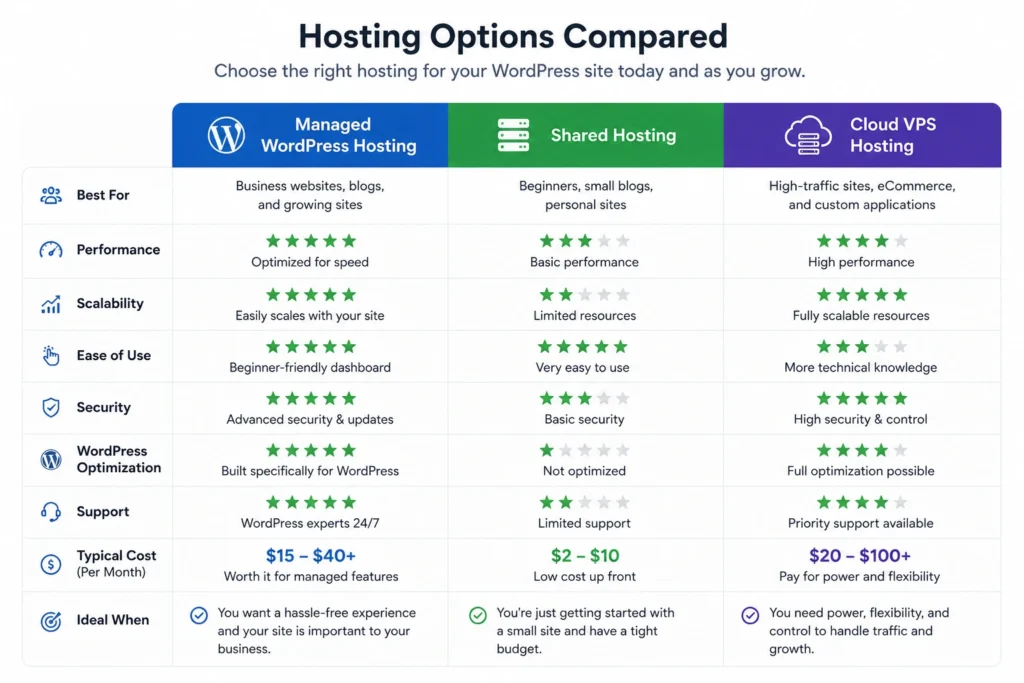
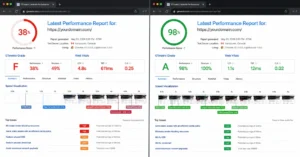
If speed is the priority, rank hosts by caching, server resources, and how quickly they recover under load. If backups matter more, rank them by restore simplicity and frequency, not by whether a backup checkbox exists in the panel.
This is where a lot of blog hosting comparison content gets slippery. “Fast” is not useful unless the host also gives you a clean restore path and a staging site. A blog that loads quickly but can’t be rolled back after a bad plugin update is not stable — it is just fast while everything is going well.
| Option | Speed | Backups | Staging | Scale path | Best use case |
|---|---|---|---|---|---|
| Shared hosting | Fair to decent | Basic or extra-cost | Often limited | Weak | New blogs on a budget |
| Managed WordPress hosting | Strong | Usually automatic | Often included | Moderate to strong | Bloggers who want growth without hassle |
| Cloud VPS hosting | Strongest with tuning | Usually manual or configured | Possible, but more setup | Strongest | Technical bloggers and high-traffic sites |
What bloggers usually outgrow first
The first thing most blogs outgrow is not storage. It is support quality and recovery time. When a plugin update breaks the site, the difference between a good host and a bare-minimum host is whether you get a restore button or a support queue.
That is also where renewal pricing starts to matter. Many plans look cheap in year one and feel less friendly when the invoice renews at a much higher rate than the promo page suggested.
Hostinger is often praised for low initial pricing and relatively affordable renewals in third-party testing, which is why it keeps showing up in value-focused hosting roundups. That does not make it the answer for every blogger, but it is the kind of pricing behavior worth checking before you commit.
What to choose instead of the obvious cheap plan
The obvious choice is the lowest-cost shared plan. The better choice for a blog that expects real traffic is managed WordPress hosting, because it gives you a faster recovery path when something breaks and a cleaner path when traffic grows.
Choose shared hosting only if you are testing an idea, publishing lightly, and don’t mind moving later. Choose managed WordPress if you want the least painful balance of speed, backups, and setup.
Choose cloud VPS if you already know how to manage a server or you have someone who does. If you pick the wrong one, the failure mode is predictable: slow pages, fragile updates, and a migration you should have done six months earlier.
What it costs: real numbers, freshness tag
Budget shared plans can start around the low single digits per month, but renewal jumps and backup add-ons change the real cost fast. Mid-range managed WordPress plans usually sit higher but include the things bloggers keep paying for later anyway: backups, staging, and better support.
VPS plans can look competitive on paper, but once you add managed support, backups, and time spent maintaining the stack, they stop being the cheap option.
For this category, the price you see is not the price you live with. Watch for migration fees, backup retention limits, higher renewal pricing, and domain/email upsells that quietly move the bill upward. (2025–2026 rates — verify before purchase)
What happens when you scale too late
The common mistake is waiting until traffic spikes before upgrading. Then you are changing hosting, DNS, SSL, and sometimes email routing while the site is already under pressure. That is where downtime comes from — not from the migration itself, but from doing it after the blog has become important.
A better move is to upgrade before the site needs it. If you are already publishing regularly, using plugins heavily, or relying on search traffic, plan the upgrade while the site is still calm. The migration window will be shorter, the rollback easier, and the damage smaller if something slips.
Frequently Asked Questions About Best Hosting for Bloggers
Is shared hosting good enough for a new blog?
Yes, for a small blog with light traffic and a tight budget. It is the cheapest way to start, but it is also the easiest to outgrow. The moment speed, backups, and support start affecting your publishing schedule, you will feel the limits.
Is managed WordPress hosting worth the extra cost?
Usually, yes. It saves time on backups, updates, and recovery, which matters more than the monthly difference once your blog is active. It is the safer default for bloggers who want growth without spending weekends on server maintenance.
When should a blog move to VPS hosting?
Move to VPS hosting when you need more control, stronger performance headroom, or traffic that keeps pushing shared or managed plans into their limits. It is also a better fit if you or your team can handle more technical setup. For non-technical bloggers, it can create more work than it solves.
Do backups really matter for a blog?
Yes, because plugin conflicts, bad updates, and file mistakes happen more often than people expect. A blog without a restore point is one broken update away from a bad day. Good backups are not a bonus feature; they are the part that keeps a small mistake from becoming a full rebuild.
Continue exploring
- For a deeper look at the stack behind hosting, DNS, and email, read the infrastructure layer that connects domain, DNS, hosting, and mail. It helps you see where the control boundaries sit before you choose a provider.
- For a broader buyer path, read the hosting comparison cluster. It’s the next step if you want to compare plans by speed, backups, and scale instead of pricing alone.