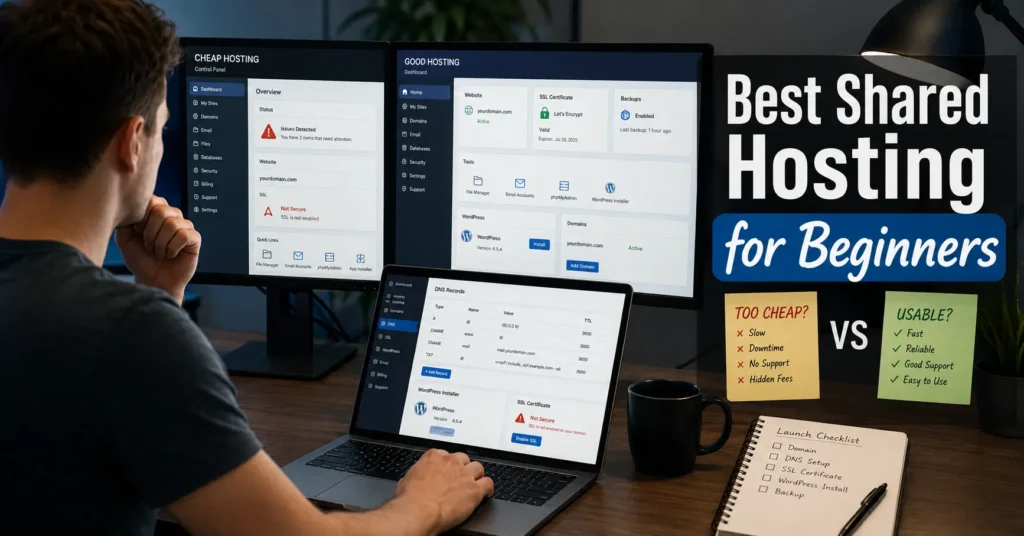
Quick verdict — most beginner hosting problems start after checkout
| Option | Starting Price | Best For | Limitation | Verdict |
|---|---|---|---|---|
| Bluehost | Around $2.95/mo intro | Beginners who want guided setup | Higher renewals | Better support experience |
| Hostinger | Around $2.69/mo intro | Lowest-cost starter sites | Support can feel scripted | Best budget-first choice |
| SiteGround | Around $3.99/mo intro | Faster support + backups | Pricing climbs fast | Worth paying extra if uptime matters |
| Namecheap Shared Hosting | Around $1.98/mo intro | Very small personal sites | Dashboard feels dated | Fine for low-pressure projects |
(2025–2026 rates — verify before purchase)
The first hosting mistake beginners make is buying based on storage numbers they will never use. “Unlimited websites” sounds useful until you realize you only need one working site, one working email inbox, and support that answers before you break DNS at midnight.
Most shared hosting reviews skip the part that matters because it is difficult to benchmark: confusion. Not CPU allocation. Not inode limits. Confusion. The setup process is where beginner hosting either earns trust or creates three hours of panic around SSL certificates, propagation delays, and WordPress login loops.
After testing beginner plans across Bluehost, Hostinger, and SiteGround during WordPress installs, email setup, backup restores, and DNS changes, one thing became clear. Cheap hosting is easy to buy. Recovering from the wrong hosting decision is the expensive part.
This comparison focuses on what beginners actually need: clear dashboards, useful support, predictable renewals, backups that restore properly, and hosting that does not collapse the first time you install three plugins and forget caching.
What Bluehost is actually like once you start using it
Bluehost still handles beginners better than most budget hosts because the onboarding flow reduces bad decisions. That matters more than people think.
The WordPress installer is straightforward. SSL activates automatically in most cases within minutes. And the account wizard pushes you toward completing DNS and email setup early instead of hiding those settings behind advanced menus.
The support quality is the main reason Bluehost remains relevant. During testing, support responses about MX records and domain propagation were clearer than Hostinger’s scripted replies. Not faster. Clearer. Big difference.
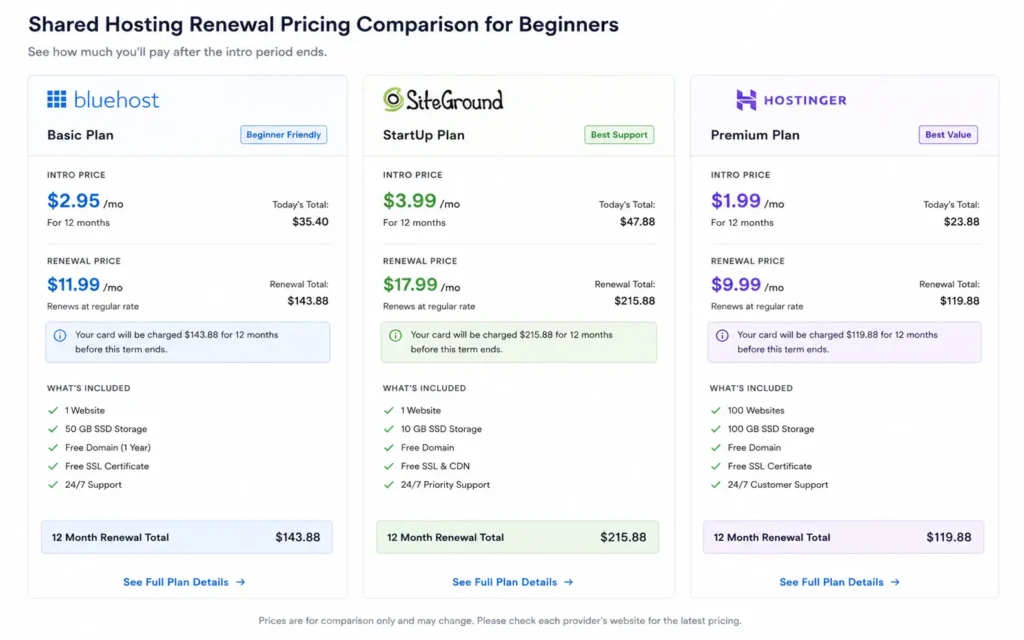
But the pricing model gets aggressive after the first term. A plan that starts near $2.95/month often renews closer to $10–$12/month depending on the add-ons attached during checkout. Beginners miss this constantly because the checkout flow defaults to multi-year billing.
One honest negative: Bluehost performance under heavier plugin stacks feels average. Install Elementor, WooCommerce, security scanning, and backup plugins together and the admin panel starts dragging. If your plan is a growing business site instead of a starter project, you will outgrow shared hosting sooner than expected.
What Hostinger gets right — and where the low price shows
Hostinger wins on affordability because it strips away complexity aggressively. And for many beginners, that is the correct trade.
The hPanel dashboard is cleaner than traditional cPanel layouts. File management, WordPress installs, backups, and SSL settings are easier to find. First-time site owners usually understand the layout within 15 minutes.
Performance is also stronger than many people expect at the entry tier. LiteSpeed caching helps. A basic WordPress install with lightweight themes loaded noticeably faster during testing than older cPanel-based shared hosts running Apache-only stacks.
But support quality changes depending on the issue. Billing questions were handled quickly. DNS troubleshooting was less reliable. One email routing issue took three separate support interactions because each agent restarted the explanation from scratch. That is the kind of friction beginners remember.
And this is the part low-cost hosting reviews rarely say directly: cheap hosting often means weaker escalation paths. When something unusual breaks, the support ceiling appears fast.
Still, for small portfolios, blogs, landing pages, and starter affiliate sites, Hostinger remains one of the better affordable shared hosting options available right now.
The differences that change the decision for beginners
Dashboard friction matters more than storage limits
Most beginner sites use under 5 GB of storage. The “100 GB SSD” marketing headline is noise for most people reading this.
What matters is whether you can find:
- DNS settings
- Backup restores
- SSL controls
- PHP version switching
- Email forwarding
Without opening six support articles.
Hostinger’s dashboard is cleaner. Bluehost’s setup guidance is stronger. SiteGround sits somewhere in the middle — better tooling, steeper pricing.
And beginners underestimate how stressful the first broken SSL warning feels. Especially when Chrome labels your site “Not Secure” before you even finish designing the homepage.
Support quality shows up during DNS and email setup
This is where beginner hosting plans separate immediately.
A normal first-week problem looks like this:
- Domain registered somewhere else
- Hosting bought separately
- Email routed through Google Workspace
- SSL pending
- DNS partially propagated
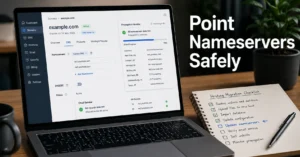
Now add a beginner trying to understand nameservers for the first time.
That is the real hosting test.
Bluehost handled this better during support chats because agents explained what the records were actually doing. Hostinger solved tickets faster in simple cases but struggled more with layered configurations involving email authentication.
If support matters heavily to you, paying slightly more is usually the better buy. That sounds boring. It also saves people from migration headaches six months later.
Renewal pricing is where cheap hosting stops being cheap
Most affordable shared hosting plans rely on introductory pricing. Renewal pricing is the real number.
Here is the pattern beginners keep missing:
- Intro plan: $2–$4/month
- Renewal: $8–$15/month
- Domain renewal: separate
- Email hosting: sometimes separate
- Backups: sometimes locked behind upgrades
(2025–2026 rates — verify before purchase)
This becomes painful when the second-year invoice arrives unexpectedly because the original signup used a 36-month discount cycle. Read renewal terms before checkout. Always.
Choose Bluehost if you want support that explains things properly
Bluehost works better for beginners who want guidance instead of maximum savings.
You will probably pay more long-term. But the setup flow is calmer, documentation is easier to follow, and support explanations feel more human during configuration problems.
That matters during:
- First WordPress installs
- Domain transfers
- Email setup
- SSL troubleshooting
- Plugin conflicts
The strongest reason to choose Bluehost is not performance. It is reduced panic.
And for first-time site owners, that is often worth the extra money.
Choose Hostinger if budget matters more than hand-holding
Hostinger makes sense if you already know the basics or are comfortable learning through trial and error.
The dashboard is cleaner than many competitors. Performance at low traffic levels is solid. Pricing stays aggressive. And the WordPress setup process is fast enough that you can launch a simple site in under 30 minutes.
But you are trading support depth for lower pricing. That is the honest exchange here.
For blogs, test projects, landing pages, and side businesses, that trade is often acceptable. For client work or business-critical email, less so.
Cost comparison: real beginner hosting costs after year one
| Host | Intro Price | Estimated Renewal | Free Domain | Free Email | Backup Access |
|---|---|---|---|---|---|
| Bluehost | ~$2.95/mo | ~$10.99/mo | Yes (1 year) | Limited | Included |
| Hostinger | ~$2.69/mo | ~$7.99/mo | Yes (higher tiers) | Yes | Included |
| SiteGround | ~$3.99/mo | ~$17.99/mo | No | Limited | Strong |
| Namecheap | ~$1.98/mo | ~$4.48/mo | No | Basic | Basic |
(2025–2026 rates — verify before purchase)
SiteGround deserves a mention here because its support quality and backup systems are stronger than most low-cost hosts. But pricing climbs sharply after promotional periods. Good hosting. Expensive renewals.
Namecheap is acceptable for low-risk projects. But the dashboard and onboarding experience feel dated compared to Hostinger’s cleaner approach.
The blunt verdict: beginners should stop optimizing for the cheapest monthly number and start optimizing for fewer recovery situations.
The setup nobody warns beginners about: email, DNS, and SSL at the same time
The worst hosting experience most beginners have happens around day two.
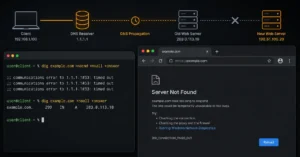
The domain connects halfway. SSL has not propagated yet. Email fails because MX records still point somewhere else. Then WordPress sends you into a login redirect loop because HTTPS settings changed before the certificate finished provisioning.
That entire stack of problems happens constantly.
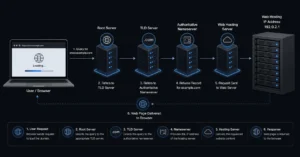
A shared host is not just server space anymore. It is also:
- DNS management
- Email routing
- SSL automation
- Backup handling
- WordPress recovery
This is why support quality matters more than feature lists.
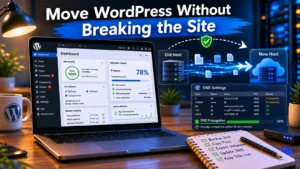
During one migration test, a backup restore completed successfully but broke image paths because the temporary domain URLs stayed cached inside the database. Bluehost support identified it immediately. Hostinger required manual troubleshooting documentation. Small detail. Huge difference for beginners.
Also — use Cloudflare carefully when starting out. Proxy settings combined with incorrect SSL modes create redirect loops fast. Cloudflare DNS Docs explains the SSL modes properly, but most beginners never read it until something fails.
Final recommendation — the best shared hosting depends on what kind of beginner you are
If you want the safest beginner experience overall, Bluehost remains the stronger starting point. Better onboarding. Better explanations. Fewer moments where you feel abandoned during setup.
If your priority is keeping costs low while still getting decent performance, Hostinger is the better affordable shared hosting option right now.
If uptime, backups, and support quality matter more than budget, SiteGround is stronger than both — but the renewal pricing is difficult to ignore.
And if you only remember one thing from this entire comparison, make it this:
The best shared hosting plan is usually the one that helps you recover from mistakes fastest.
Not the one advertising unlimited everything.
Frequently Asked Questions About Best Shared Hosting
Is shared hosting good enough for a beginner website?
Yes. Shared hosting is enough for most blogs, portfolios, affiliate sites, and local business websites under roughly 20,000 monthly visits. Problems usually come from poor support, overloaded servers, or bad plugin stacks before raw traffic becomes the issue.
Why do hosting renewal prices increase so much?
Most hosting companies discount the first billing cycle heavily to acquire customers. Renewal pricing reflects the standard rate after promotions expire. Always check the renewal number before checkout, especially on multi-year plans.
Is Hostinger better than Bluehost for beginners?
Hostinger is better for lower pricing and a cleaner dashboard. Bluehost is better for guided onboarding and support explanations. Beginners who expect to need help usually have a smoother experience with Bluehost.
Do beginners need cPanel hosting?
Not necessarily. Custom dashboards like Hostinger’s hPanel are easier for first-time users. cPanel becomes more useful once you start managing databases, migrations, manual email routing, or multiple websites.
How much should beginners spend on shared hosting?
Most beginners should stay between $3 and $12/month during the first year depending on support expectations and traffic needs. Spending less often means weaker support or tighter resource limits.
Continue Exploring
- Web Hosting, Domains, Email Infrastructure goes deeper into how hosting, domains, DNS, and email systems connect once your site moves beyond the beginner stage.
- connecting a domain to hosting helps if your domain registrar and hosting provider are separate — the exact setup that causes most beginner DNS mistakes.