Comparison Table
| Option | Price | Best For | Limitation | Verdict |
|---|---|---|---|---|
| Wi-Fi Extender | $25–$120 | Small homes, one dead zone | Often cuts speed | Best budget fix |
| Dual-Band Extender | $60–$150 | One-floor homes with moderate interference | Placement becomes critical | Good middle ground |
| Mesh Wi-Fi System | $180–$700 | Multi-floor homes, thick walls, many devices | Higher cost and setup overhead | Best long-term coverage |
| Wired Access Point Setup | $120–$400+ | Large homes with ethernet wiring | More installation work | Most stable option |
(2025–2026 rates — verify before purchase)
Quick verdict — most homes don’t need the expensive option
Mesh systems get recommended for almost everything now. That does not mean they are the right answer for your house.
If your Wi-Fi drops only in one bedroom, one office corner, or the back patio, an extender is often enough. Especially in apartments under 1,200 square feet with drywall construction and a centrally placed router. Spending $350 on a tri-band mesh kit to fix one weak corner is usually solving the wrong problem.
The first thing that actually matters is layout. Not internet speed. Not marketing labels. Not “gaming” branding.
A 300 Mbps internet line can feel stable on a cheap extender in a simple single-floor home. Meanwhile, a gigabit fiber connection can still fail inside a brick house with two concrete floors because radio signals hate dense material. That is the part buyers usually discover after setup day.
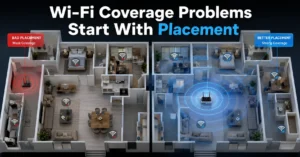
And there is one mistake almost everybody makes: changing the router before testing placement. Move the router six feet higher and away from the TV cabinet first. Then measure again.
What a Wi-Fi extender is actually like after the first week
A Wi-Fi extender repeats your router’s wireless signal into another part of the house. It does not create a second internet connection. It stretches the existing one.
That distinction matters because the extender depends entirely on the quality of the original signal it receives. Put it too far from the router and it repeats a weak signal badly. Put it too close and you gain almost no extra coverage.
Most extenders work best when placed halfway between the router and the dead zone. Not inside the dead zone itself.
The honest downside is speed loss. Many cheaper extenders use the same radio channel to receive and rebroadcast data. So the extender spends half its time listening and half transmitting. In practice, that can cut throughput by 30–50%.
You notice this during:
- Zoom calls with unstable upload
- 4K streaming buffers
- cloud backups
- game downloads
- smart TV lag after dinner when everybody is online
Still, extenders win more often than people admit. A simple ranch-style house with thin interior walls does not need enterprise-grade network gear. It needs signal reach.
That is the difference.
What mesh Wi-Fi changes — and what it doesn’t
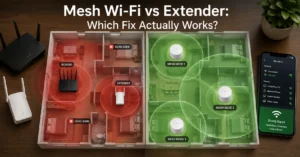
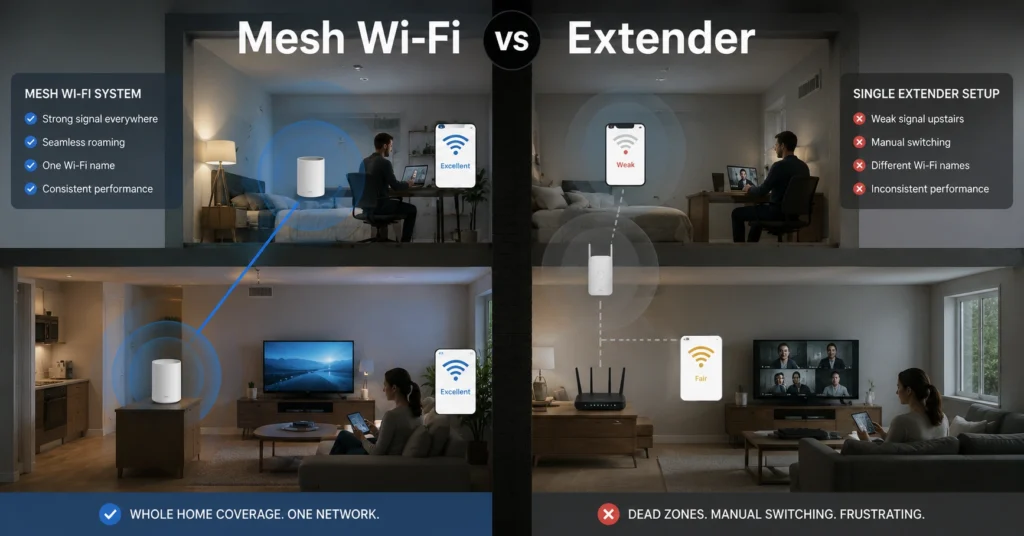
Mesh Wi-Fi systems use multiple coordinated access points — usually called nodes — that work together as one network. Your phone or laptop moves between them automatically without switching Wi-Fi names manually.
That roaming behavior is the real upgrade.
In a good mesh setup:
- upstairs devices connect upstairs
- downstairs devices stay downstairs
- devices move between nodes without disconnecting
- signal handoffs happen automatically
The better systems also use dedicated wireless backhaul channels. That means one radio handles communication between nodes while another handles your actual device traffic. This reduces the throughput penalty common with cheap extenders.
But mesh is not magic.
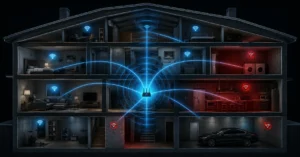
A mesh node still needs a strong connection to another node. Thick brick walls, metal ducting, radiant floor heating, and reinforced concrete can still destroy signal quality. We tested a three-node setup in a two-floor concrete-heavy home where the upstairs node still lost nearly 45% throughput because the floor slab blocked backhaul traffic.
Adding more nodes did not help. Wiring two nodes with ethernet did.
That is the part marketing pages skip.
Why wall density matters more than internet speed
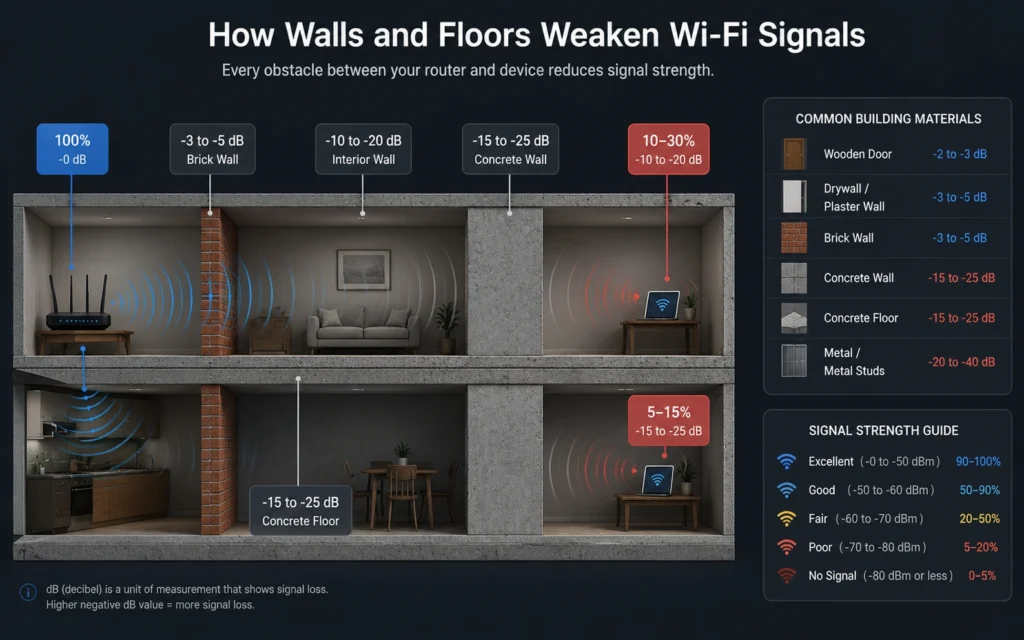
People blame their ISP first because it is visible. The wall problem is invisible.
Wi-Fi signals weaken every time they pass through:
- brick
- concrete
- mirrors
- tile
- metal framing
- water pipes
- large appliances
5 GHz networks are faster but weaker through dense material. 2.4 GHz reaches farther but handles congestion worse. Wi-Fi 6E adds 6 GHz support, which is even faster at short range but weaker through walls. Wi‑Fi Alliance
So the same mesh system can feel excellent in one home and disappointing in another.
Here is the practical rule:
- Open layout → extender often works
- Thick walls → mesh helps
- Multiple concrete floors → wired backhaul matters more than mesh branding
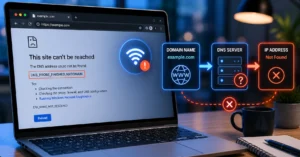
The strange part is that some slow Wi-Fi complaints are not Wi-Fi problems at all. They are DNS delays, overloaded ISP routers, or cheap modem-router combo boxes overheating under load.
One of the easiest tests is ethernet. Connect one laptop directly to the router with a cable. If the wired speed is stable while Wi-Fi collapses upstairs, the issue lives in the wireless layer — not the internet connection itself.
Use one test device. One location. One change at a time. Otherwise troubleshooting turns into guesswork.
Mesh Wi-Fi vs extender by home size and layout
This is where the decision becomes easier.
Small apartment or condo
Use an extender first.
A 600–1,000 square foot apartment with drywall usually does not need mesh unless the router placement is terrible. One dual-band extender near a hallway outlet is often enough.
Avoid putting it behind televisions or inside cabinets. That mistake alone causes more weak-signal complaints than firmware bugs.
Medium single-floor home
This is the overlap zone.
If the dead zones are isolated, extenders still work well. If multiple rooms struggle simultaneously, mesh becomes easier to manage because devices roam automatically.
This is usually where buyers start noticing setup burden.
Large multi-floor home
Mesh becomes the safer recommendation here.
Especially above:
- 2,000 square feet
- two-story layouts
- detached offices
- thick brick interiors
- 25+ connected devices
Video doorbells, cameras, TVs, tablets, smart speakers, and laptops all compete for airtime now. A single-router-plus-extender setup starts feeling fragile under that load.
But even here, wired ethernet backhaul changes everything. A wired mesh system is dramatically more stable than fully wireless node communication.
The setup burden nobody mentions until devices start disconnecting
Extenders are annoying in one specific way: older models often create a second network name.
So instead of:
- HomeWiFi
you suddenly get:
- HomeWiFi_EXT
And devices cling to the weaker network longer than they should.
Mesh systems solve this more cleanly because the network behaves as one environment. But the trade-off is complexity.
Firmware updates matter more. App setup matters more. Node placement matters more. Some systems fail silently when one node loses backhaul quality, so speeds degrade without obvious warnings.
The blunt verdict: mesh systems are easier to live with once configured properly, but harder to troubleshoot when something subtle breaks.
That surprises people.
Why your Wi-Fi still feels slow after upgrading the hardware
Because coverage and speed are not the same thing.
A new mesh kit will not fix:
- ISP congestion at peak hours
- old modem firmware
- DNS lookup delays
- overloaded budget routers from the ISP
- smart TVs saturating upload bandwidth
- cloud backup jobs running nonstop
And many homes place routers badly from day one:
- behind the television
- inside metal cabinets
- on the floor
- beside microwaves
- inside utility closets
The router should sit:
- elevated
- open-air
- near the center of the home
- away from thick structural barriers
That sounds basic. It also fixes an embarrassing number of “advanced” network problems.
For more internet and device troubleshooting paths, see Tech Troubleshooting, How-To. The overlap between weak Wi-Fi symptoms and device-layer problems is larger than most people think.
Cost comparison: extender vs mesh Wi-Fi systems (2025–2026 rates — verify before purchase)
| Setup Type | Typical Cost | Best Fit | Hidden Cost |
|---|---|---|---|
| Basic Extender | $25–$60 | One weak room | Speed reduction |
| Dual-Band Extender | $60–$150 | Moderate coverage gaps | Placement sensitivity |
| Two-Node Mesh | $180–$350 | Medium homes | Subscription features on some brands |
| Three-Node Mesh | $300–$700 | Large multi-floor homes | Replacement node costs |
| Wired Access Point Setup | $250–$900 | Large stable networks | Installation labor |
Mesh systems also age differently.
An extender is cheap enough to replace casually after four years. A mesh ecosystem locks you into firmware support, app compatibility, and vendor updates. Some older systems lose security support faster than buyers expect.
(Check current version support before publishing)
Final recommendation — buy for the layout, not the marketing
Here is the simplest version.
Buy an extender if:
- the home is small
- the layout is simple
- only one area has weak coverage
- you want the cheapest practical fix
Buy mesh if:
- the home has multiple floors
- walls are dense
- devices move constantly around the house
- multiple people stream, work, and game simultaneously
And if the house has ethernet wiring already, skip both marketing battles and consider wired access points instead. That setup is less glamorous and far more stable.
Mesh is better for difficult homes.
It is not automatically better for every home.
That distinction saves money.
Frequently Asked Questions About Mesh Wi-Fi vs Extender
Is mesh Wi-Fi better than an extender?
Usually for larger homes, yes. Mesh systems handle roaming and multi-room coverage more cleanly. But in a small apartment with one dead zone, an extender often delivers nearly the same practical result for far less money.
Does a Wi-Fi extender slow internet speed?
Often, yes. Especially single-band or cheaper dual-band models. They repeat the same wireless signal over shared radio channels, which reduces throughput. Placement quality changes the outcome dramatically.
Can mesh Wi-Fi replace your router?
Most mesh systems include router functionality. Some operate in bridge mode with an existing router. The setup depends on ISP hardware and whether your modem already includes routing features.
Why does Wi-Fi fail upstairs but work downstairs?
Floors block signals more aggressively than many interior walls. Concrete slabs, metal framing, underfloor heating systems, and plumbing layers weaken wireless signals heavily.
Should you buy mesh for gaming?
Only if the issue is coverage consistency. Mesh does not reduce ISP latency automatically. For stable gaming, wired ethernet still beats wireless connections.
Continue Exploring
- Tech Troubleshooting, How-To — deeper fixes for unstable internet, device disconnects, and network-layer problems that survive basic router resets.
- internet and device fix workflows — useful if the problem turned out to be DNS, hardware placement, overheating routers, or device-side failures instead of coverage.