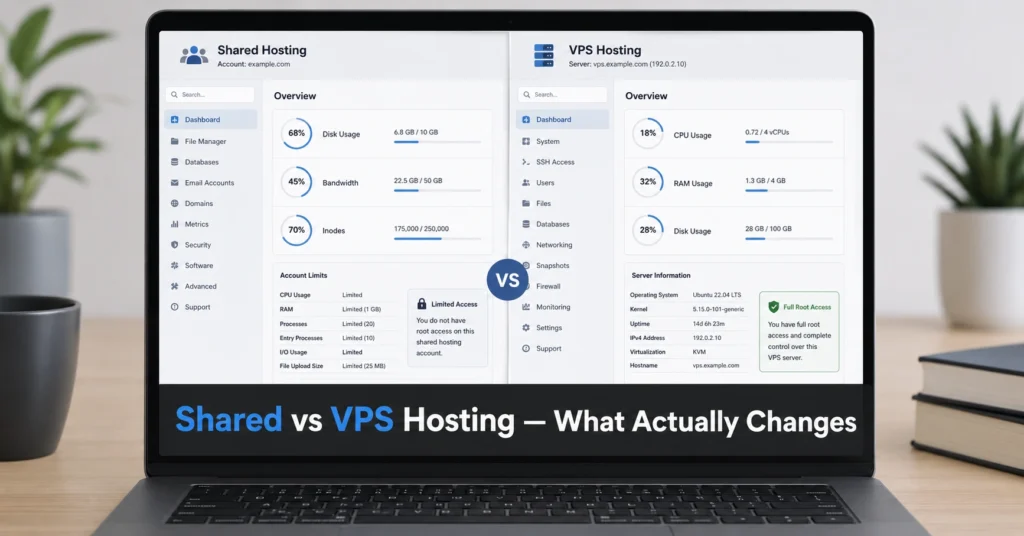
Shared vs VPS hosting is not a performance upgrade by default. It is a control shift. Shared hosting puts your site inside a pooled environment where CPU, memory, and server processes are distributed across hundreds of accounts. VPS hosting isolates your environment with dedicated virtual resources — typically a fixed slice of CPU cores, RAM, and storage.
The mistake most beginners make is assuming VPS equals faster websites. It doesn’t. A badly configured VPS can be slower than a well-optimized shared plan. The real difference is control, not raw speed.
I’ve seen setups where a $3.99/month shared plan handled a WordPress site better than a $20 VPS instance simply because caching and PHP settings were tuned properly on the shared side.
The decision is not technical complexity for its own sake. It is whether you need isolation, predictable performance under load, and root-level control — or whether you just need a stable site that doesn’t break under normal traffic.
What shared hosting actually gives you (₹150–₹500/month reality check)
Shared hosting works by stacking multiple websites on the same physical server. Each site gets a limited share of CPU time, RAM, and database resources. You don’t control the environment — you rent space inside it.
Typical entry plans include:
- 1 website support
- 10–50 GB storage
- Shared CPU limits (not guaranteed cores)
- Basic cPanel access
- Managed server maintenance handled by provider
The operational truth is simple: it’s stable until it isn’t.
During a WordPress migration I handled on a shared cPanel setup, email deliverability broke because the provider throttled outgoing SMTP without warning. No dashboard warning. Just silent mail failures for 6 hours.
The advantage is support. Shared hosting providers handle patching, server security, and infrastructure failures. You don’t manage Linux services or firewall rules.
But the limitation is structural: if another site on your server spikes traffic or gets abused, your site absorbs the slowdown.
Best fit
- Small business websites
- Portfolio sites
- Blogs under moderate traffic
- Sites without custom backend logic
What VPS hosting actually changes (and why it feels like “freedom with friction”)
VPS hosting assigns you a virtual machine inside a larger physical server. You get reserved resources:
- Dedicated RAM allocation
- Fixed CPU cores
- Isolated file system
- Root or admin-level access
This is where control starts to matter more than comfort.
On a 2-core VPS setup, I once misconfigured Nginx worker processes. The server didn’t crash — it just silently throttled requests under load because CPU caps were hit. Shared hosting would have hidden this problem. VPS exposed it immediately.
That is the trade-off. VPS doesn’t hide failure modes. It surfaces them.
You are now responsible for:
- Security updates
- Server configuration
- Firewall rules
- Performance tuning
- Backup strategy
Most beginners underestimate this part. VPS is not just “upgrade hosting.” It is partial system administration.
The differences that actually change decision-making (not marketing claims)


The difference is not speed. It is predictability under load and control depth.
Shared hosting behaves like:
- fixed environment
- unpredictable neighbor usage impact
- limited customization
- support-managed infrastructure
VPS behaves like:
- isolated environment
- predictable resource allocation
- full configuration control
- self-managed or semi-managed infrastructure
The breaking point usually appears here:
- Shared hosting fails first on CPU spikes from traffic or plugins
- VPS fails first on misconfiguration or missing optimization
So the real question is not “which is better.”
It is “what kind of failure can you handle?”
Choose shared hosting if your site is stable and small
Shared hosting makes sense when:
- traffic is under ~10,000 monthly visits
- you are running WordPress or static pages
- you don’t need custom server software
- downtime risk is low-impact
The hidden advantage is support coverage. You are not debugging Linux services at 2 AM.
Honest negative: it scales poorly under unpredictable traffic.
Alternative: Hostinger or similar shared providers with LiteSpeed caching handle this better than legacy Apache-heavy environments.
Choose VPS hosting if performance consistency matters more than simplicity
VPS hosting makes sense when:
- traffic is growing or spiky
- you run multiple sites or applications
- you need custom server configurations
- database performance matters (WooCommerce, SaaS tools)
Honest negative: VPS is more powerful but also more complex. Misconfiguration is not theoretical — it is routine.
Alternative: Managed VPS platforms (like Cloudways-style setups) reduce operational burden while keeping isolation benefits.
This is where most migrations happen: not because shared fails, but because scaling becomes unpredictable.
Cost comparison: what you actually pay beyond the headline price (2025–2026 rates — verify before purchase)
| Option | Price/month | What it includes | Hidden cost | Best for |
|---|---|---|---|---|
| Shared Hosting | $2–$6 | Basic hosting + cPanel | Performance ceiling | Beginners, small sites |
| VPS (unmanaged) | $5–$20 | Root access + resources | Maintenance time | Developers, builders |
| Managed VPS | $15–$40 | VPS + support layer | Higher monthly cost | Business sites |
The cost shift is not just money. It is responsibility transfer.
Where people get this wrong (and pay for it later)
Most users upgrade to VPS too early because they confuse “control” with “improvement.”
Then they hit:
- server setup complexity
- email configuration failures (SPF/DKIM misalignment)
- firewall lockouts
- backup gaps they didn’t configure
Shared hosting hides these problems. VPS exposes them immediately.
What to use instead of the obvious choice
If shared feels too limited but VPS feels too heavy, there is a middle layer:
- Managed WordPress hosting (limited control, better performance tuning)
- Lightweight managed VPS (control without full sysadmin burden)
The real decision is not binary. It is a spectrum of responsibility.
Frequently Asked Questions About Shared vs VPS Hosting
Is VPS always faster than shared hosting?
No. VPS is only faster when configured correctly. A poorly optimized VPS can perform worse than a tuned shared environment because shared platforms often include caching and server-level optimization by default.
Can I upgrade from shared to VPS without downtime?
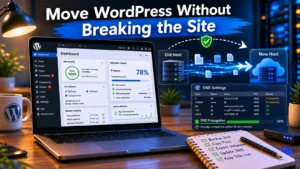
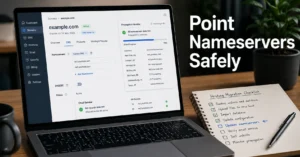
Yes, but only if migration is planned correctly. You need full backups, DNS cutover timing, and SSL reissuance. Without that, expect email and website interruptions during propagation.
Do I need VPS for WordPress?
Not initially. WordPress runs well on shared hosting. VPS becomes relevant when traffic, plugins, or database load starts affecting response time consistency.
What is the biggest hidden cost of VPS hosting?
Time. Server management, updates, security, and debugging often cost more operational effort than the hosting bill itself
CONTINUE EXPLORING
- Web Hosting, Domains, Email Infrastructure — deeper infrastructure dependency map
- Hosting comparison cluster — expands into dedicated vs cloud hosting decisions